
Incident response: a complete guide to effective crisis management
On this page
When an unexpected disruption strikes, the ability of an organization to respond quickly and effectively can determine whether it regains control or suffers lasting consequences. Incident response is the structured process that helps teams contain threats, minimize downtime, and restore systems to normal operation. It is more than a set of technical steps. A strong incident response plan builds resilience, protects customer trust, and reduces business risk by ensuring that every event is handled with clarity and consistency.
For professionals working in reliability, security, and IT, incident response is not optional. It is a core discipline that connects strategy with action. An established incident response lifecycle, supported by a trained incident response team and tested incident response playbooks, provides the framework needed to face uncertainty with confidence. By adopting best practices in incident response, measuring progress with metrics such as MTTR, and leveraging modern tools, organizations create a culture of preparedness. The result is stronger operational resilience and better alignment with related practices such as incident management and problem management.
What is incident response?
Incident response is the structured approach that organizations use to handle unexpected events such as security breaches, outages, or critical system failures. It provides a framework for detecting, containing, investigating, and resolving incidents in a way that minimizes disruption and restores services as quickly as possible. Rather than leaving teams to improvise under pressure, incident response brings order and consistency to the process of managing incidents.
The importance of incident response can be seen in the outcomes it delivers. A well designed incident response plan helps teams:
- Reduce downtime and maintain business continuity
- Limit financial and reputational damage
- Protect sensitive information and meet compliance requirements
- Learn from root causes to prevent repeat incidents
- Build stronger resilience across systems and teams
Why incident response matters goes beyond immediate recovery. It creates a culture of preparedness, ensuring that teams remain calm and coordinated even when facing high stress situations. A dedicated incident response team, supported by playbooks and training, provides the structure needed to act decisively when disruption occurs. While incident response centers on the tactical steps of addressing and resolving an incident, incident management takes a broader perspective by overseeing the full process of restoring services and maintaining continuity across the organization.
Incident response lifecycle
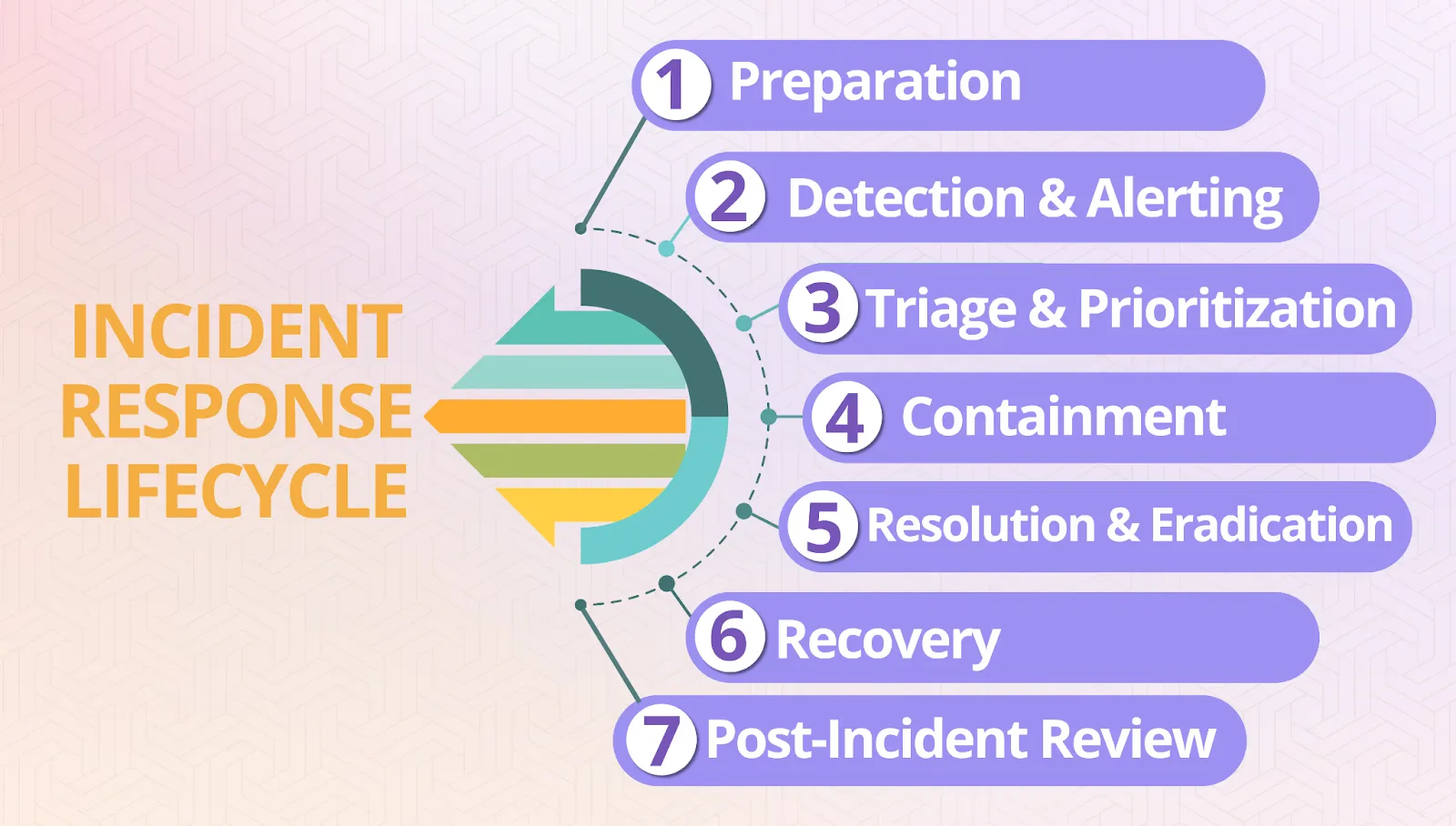
Every effective incident response plan follows a lifecycle that turns moments of chaos into structured, coordinated action. By breaking incidents into clear stages, teams can move from the first alert to long-term improvements without missing critical steps. This lifecycle ensures that responses are consistent, measurable, and repeatable regardless of the size or severity of the incident.
Step 1: preparation
Preparation lays the foundation for successful response. Teams establish severity levels, maintain updated incident response playbooks, and run training exercises to ensure that everyone knows their role before an incident occurs. Strong preparation reduces hesitation and creates the muscle memory needed to act decisively when systems fail.
Step 2: detection and alerting
Most incidents begin with an alert from monitoring tools or a report from users. At this stage, the focus is on validating whether the event is truly an incident, assessing its scope, and escalating if necessary. Effective detection minimizes wasted time and reduces the impact window.
Step 3: triage and prioritization
Not all incidents carry the same weight. During triage, teams classify events by severity and potential business impact, ensuring that high-risk issues receive immediate attention while less critical problems are handled in order. Prioritization prevents teams from being overwhelmed and directs resources where they matter most.
Step 4: containment
Containment strategies aim to limit the blast radius of the incident. This may include rolling back changes, rerouting traffic, or disabling a failing service. Containment rarely resolves the root cause but buys time to protect customers and maintain stability while deeper investigation continues.
Step 5: resolution and eradication
In this stage, technical responders diagnose and fix the underlying issue. Whether it involves infrastructure repairs, code changes, or configuration updates, the goal is to eliminate the root cause and restore full functionality. Resolution is about addressing the real problem, not just applying temporary patches.
Step 6: recovery
Recovery involves carefully bringing systems back online while monitoring for regression. Teams restore services gradually, validate performance, and ensure that normal operations resume without cascading failures. Transparent communication with stakeholders during this stage is just as important as the technical work itself.
Step 7: post-incident review
Once the incident is resolved, the focus shifts to learning. A blameless postmortem reviews what happened, why decisions were made, and how processes can improve. Metrics such as MTTR help measure progress over time, while documenting lessons learned ensures the organization grows stronger with every incident.
The incident response lifecycle creates predictability under pressure. By following each step with discipline, teams reduce downtime, protect customer trust, and transform disruptions into opportunities for improvement.
Incident response Teams & roles
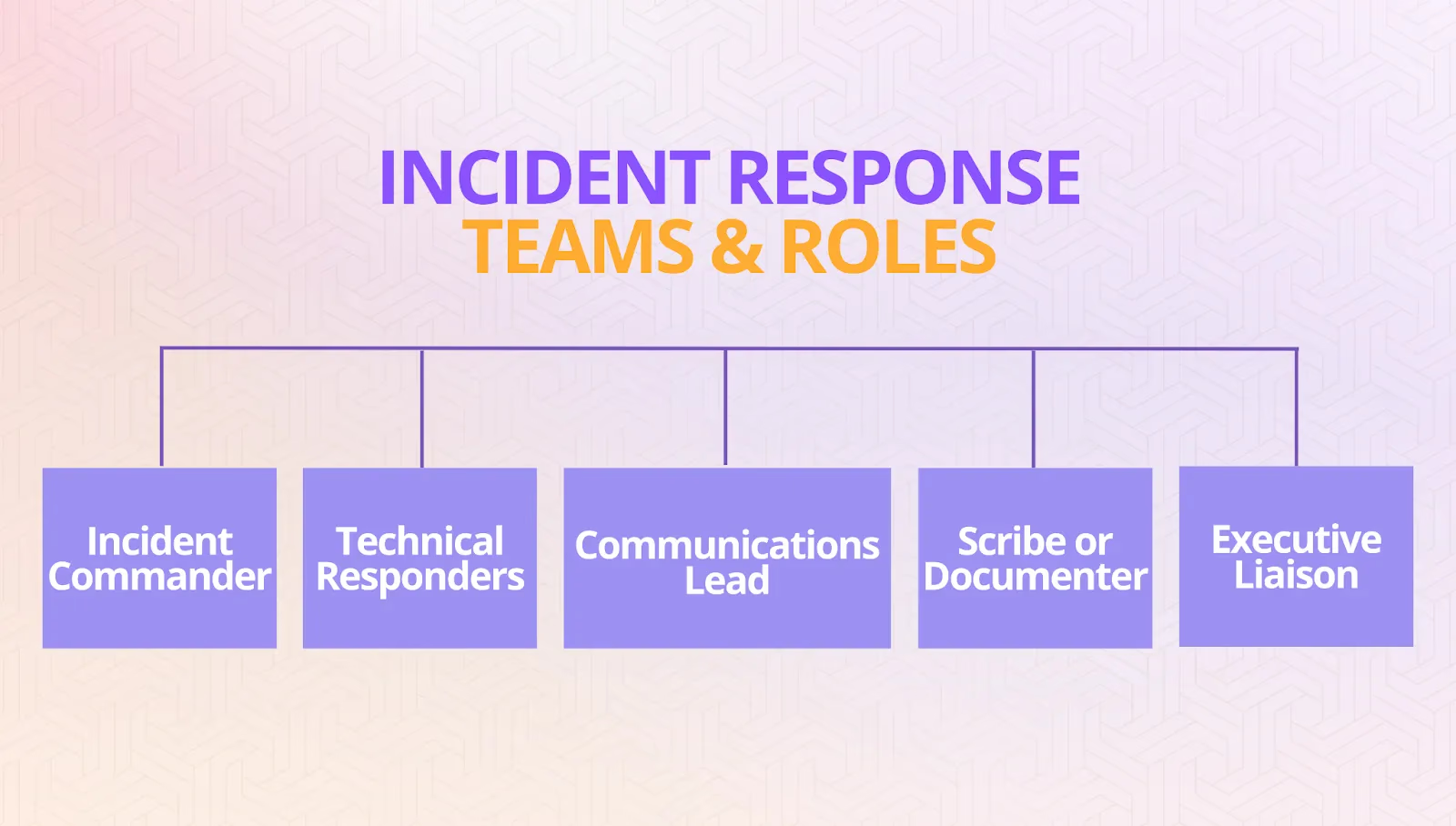
Even the best defined lifecycle cannot succeed without the right people in place. An incident response team provides the structure and accountability that turn playbooks into real-world action. When roles are unclear, teams risk duplicating efforts, overlooking key steps, or leaving leadership without the information needed to make decisions.
A strong team is built on clearly defined roles and responsibilities:
- Incident Commander – Directs the overall response, sets priorities, and ensures actions remain aligned with business goals.
- Technical Responders – Engineers or specialists who investigate the issue, apply fixes, and collaborate on long-term solutions.
- Communications Lead – Manages information flow to executives, stakeholders, and customers, ensuring consistent and timely updates.
- Scribe or Documenter – Records incident details, key decisions, and timelines to create an accurate post-incident record.
- Executive Liaison – Connects business leadership with the technical response, balancing risk considerations and organizational priorities.
Together, these roles ensure that incidents are handled with speed and clarity. The Incident Commander provides a single point of authority, responders focus on resolution, and communication remains consistent across the organization. This structure prevents confusion during high pressure moments and shortens recovery times.
Incident response playbooks and runbooks
When an incident strikes, even experienced teams can lose valuable minutes deciding what to do next. This is where playbooks and runbooks come in.
Playbooks outline the strategy for handling common types of incidents. They provide guidance on steps to take, who to involve, and how to make decisions. For example, a playbook for a DDoS attack might include escalation thresholds, containment strategies, and communication guidelines.
Runbooks take this a step further by offering detailed, step by step instructions for executing specific tasks. Think of them as checklists or scripts that responders can follow in real time, such as how to roll back a failed deployment or isolate a compromised server.
By creating and practising these resources ahead of time, your team reduces hesitation, acts with consistency, and avoids reinventing the wheel during critical moments.
AI and automation in incident response
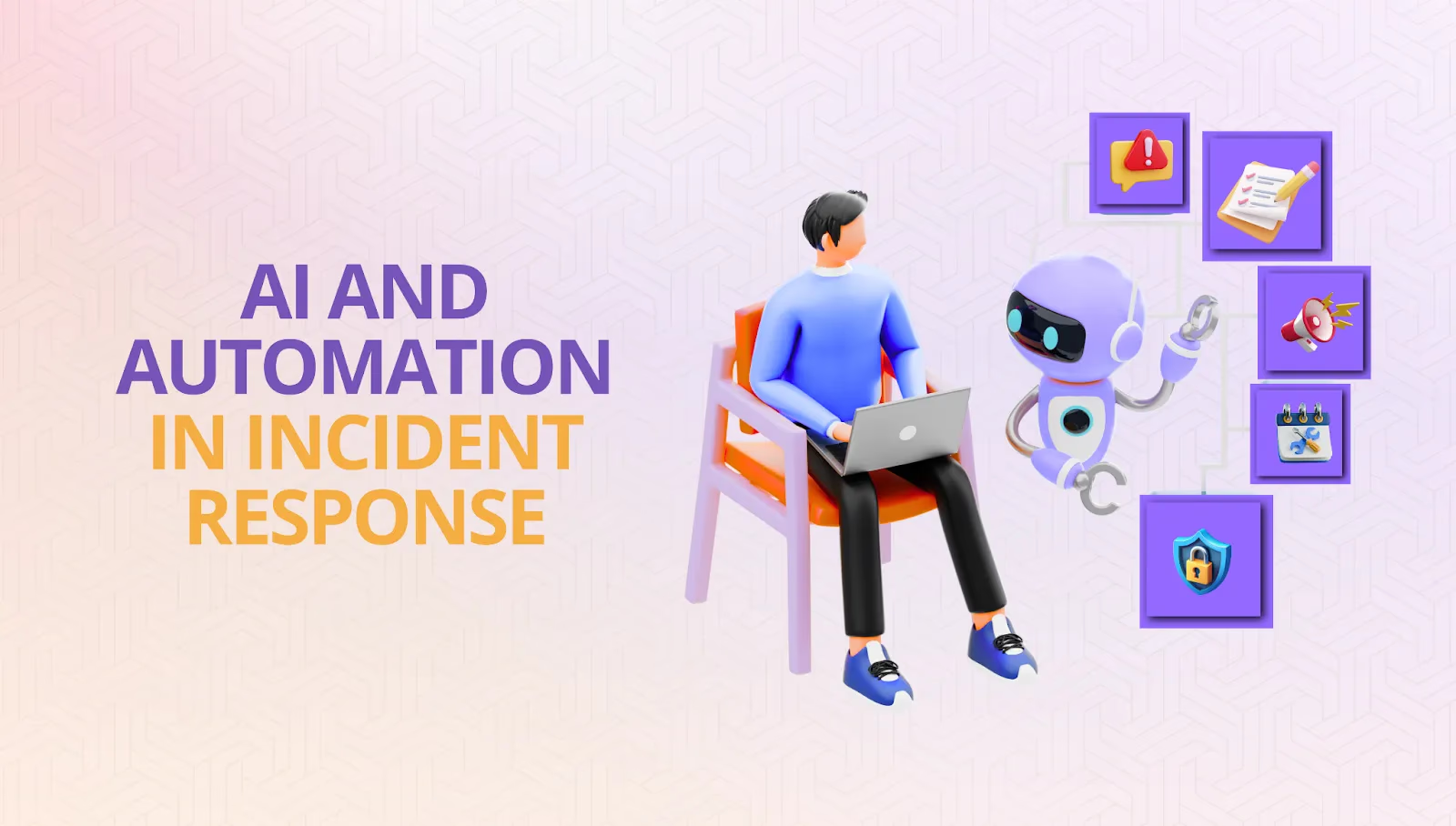
The incident response lifecycle and supporting playbooks create a structured foundation for handling disruptions. Yet in modern environments, the scale and speed of incidents often exceed what humans can manage alone. This is where AI and automation strengthen response by reducing manual toil, filtering noise, and accelerating recovery.
AI-driven detection systems analyze patterns across logs, metrics, and telemetry to spot anomalies earlier than traditional monitoring. Automation then executes predefined remediation steps, from restarting failed services to rolling back faulty deployments, without waiting for manual intervention. Together, these capabilities shorten Mean Time to Resolution (MTTR) and prevent small issues from growing into widespread outages.
Beyond speed, automation improves consistency. A well designed automated workflow ensures the same containment and recovery steps are applied every time, reducing human error during high stress moments. It also frees responders to focus on higher value analysis rather than repetitive manual actions. Over time, AI tools that integrate with incident response playbooks and runbooks evolve into self-healing systems that both resolve incidents and prevent future ones.
Best practices and metrics
Clear roles and workflows form the backbone of an effective team, but discipline alone is not enough. For incident response to scale reliably, organizations need a set of best practices that guide decision-making across incidents of every type and severity. These practices ensure that the structure you put in place is applied consistently under pressure and that responders have the confidence to act decisively, even in ambiguous or fast-changing situations.
Core best practices
- Preparedness as a continuous investment: Training sessions, tabletop simulations, and game days build muscle memory so responders can act decisively in high-stress moments. Preparation is not a one-time activity; it should be integrated into quarterly and annual planning so that readiness keeps pace with evolving systems and threats.
- Communication with intent: Updates must flow through a single, trusted channel. This prevents misinformation and builds trust with executives, customers, and partners. Mature teams often establish pre-approved templates for status updates, ensuring speed without sacrificing clarity.
- Blameless postmortems: Instead of focusing on who caused a failure, mature teams ask what conditions allowed it to happen. This approach fuels learning, encourages transparency, and helps surface systemic weaknesses that would otherwise remain hidden.
- Living documentation: Playbooks, runbooks, and knowledge bases should evolve after every incident. Teams that update documentation in real time avoid the common pitfall of relying on outdated guides that no longer reflect current infrastructure.
- Automation where it accelerates recovery: Automated workflows reduce toil and human error, but oversight remains crucial when business-critical systems are at stake. Best-in-class programs balance automation with human judgment, using escalation triggers to ensure critical decisions still involve experts.
Expanding beyond the basics
Best practices also extend to how organizations integrate incident response into their broader culture and governance:
- Executive sponsorship: Leadership buy-in ensures that incident response is recognized not just as an engineering function but as a business-critical capability.
- Cross-team collaboration: Security, reliability, and compliance functions should all participate in incident reviews to prevent silos and ensure holistic improvements.
- Continuous improvement cycles: Mature organizations schedule follow-ups to confirm that action items from postmortems are completed and measurable outcomes are tracked.
Outcome-driven metrics
Practices alone are not enough. You also need to measure whether they deliver meaningful results. Many organizations get distracted by vanity metrics that look impressive on dashboards but reveal little about real reliability. The strongest programs focus instead on metrics that directly reflect resilience, operational efficiency, and customer trust:
- Mean Time to Detect (MTTD): Measures how quickly incidents are discovered, setting the pace for the entire response. A lower MTTD reduces the window of impact and gives teams more time to act before users notice issues. Improving this metric often requires tuning alert thresholds and investing in smarter anomaly detection.
- Mean Time to Resolve (MTTR): The most critical benchmark of resilience, tracking how long it takes to restore full service after disruption. Faster resolution means less customer frustration and reduced revenue loss during downtime. Teams often lower MTTR through playbooks, automation, and streamlined communication channels.
- Mean Time Between Failures (MTBF): Highlights the durability of systems by showing how frequently failures occur. A higher MTBF indicates stronger architecture and fewer service interruptions over time. It also helps leaders assess whether resilience investments are truly reducing incident frequency.
- SLA and SLO compliance: Demonstrates whether reliability commitments and error budgets are being upheld. Consistent compliance builds trust with customers and keeps teams accountable to clear performance targets. Regular reviews of SLA and SLO data also guide engineering priorities and resource allocation.
- System uptime and customer trust signals: The ultimate indicators of whether users experience consistent, dependable service. Uptime paired with trust signals like churn, NPS, or support volumes paints a complete picture of resilience. Even during outages, transparent communication can preserve customer trust and loyalty.
Moving beyond vanity metrics
Metrics should not only quantify speed but also measure quality and customer impact. Organizations sometimes celebrate a short MTTR while ignoring whether the fix was sustainable or if customers experienced degraded performance after resolution. To avoid this trap, leading teams pair technical metrics with business-level indicators such as churn, NPS, or transaction success rates during and after incidents.
Benchmarking and continuous review
Finally, metrics become most valuable when tracked over time and compared against internal goals or industry benchmarks. By reviewing trends quarterly, leaders can see whether their investments in tooling, automation, or training are actually reducing downtime and improving resilience. Over time, this transforms metrics from static numbers into a feedback loop that strengthens both technology and organizational culture.
By centering on these outcome-driven metrics and embedding best practices into everyday operations, incident response remains grounded in what matters most: reducing downtime, protecting revenue, and strengthening confidence in your systems.
Incident response vs related practices
Measuring performance with the right metrics shows how effective incident response can be, but it is only one piece of a larger reliability ecosystem. To see its full value, it helps to place incident response alongside neighboring practices that share similar goals yet differ in scope and focus.
Incident response vs incident management
Incident response deals with the tactical actions required to detect, contain, and resolve disruptions. It addresses immediate questions such as What is failing? Who is responding? How do we restore service quickly? Incident management takes a wider view by coordinating communication, resources, and recovery at the organizational level. In most programs, incident response is part of incident management, providing the technical execution that management aligns with continuity and business priorities.
Incident response vs problem management
Problem management looks beyond individual events. Its aim is to uncover root causes, study recurring failures, and prevent the same issues from happening again. Incident response restores service in the moment, while problem management builds long-term resilience by addressing underlying weaknesses. The two are complementary, creating a cycle of rapid recovery and steady improvement.
Clarifying these distinctions prevents overlap, avoids wasted effort, and ensures every team knows its role. It also provides leaders with the framework to balance fast tactical recovery with proactive prevention.
Tools for incident response
Technology is what turns good practices into reliable execution. Even with clear roles and a tested lifecycle, teams need the right tools to detect issues early, coordinate quickly, and recover with confidence. Incident response platforms amplify human decision-making, streamline workflows, and shorten recovery times by weaving monitoring, communication, and automation into a connected system.
Common categories of incident response tools include:
- Monitoring and alerting: Platforms such as Prometheus, Datadog, and New Relic provide visibility into system health and generate actionable alerts.
- Incident management and orchestration: Tools like PagerDuty, Opsgenie, Squadcast, and Rootly help coordinate on-call rotations, manage escalations, and automate workflows.
- Collaboration and communication: Slack, Microsoft Teams, and Zoom act as war rooms where updates are centralized and stakeholders remain aligned.
- Post-incident analysis and tracking: Jira, Confluence, and Statuspage capture timelines, measure MTTR, and ensure incidents translate into long-term improvements.
The best programs focus less on the number of tools and more on how they work together. Some teams combine observability platforms with orchestration tools like PagerDuty or Opsgenie. Others streamline their process directly in Slack. At Rootly, we help teams do this by automating workflows and capturing learnings automatically, but every organization should choose the stack that best fits its size, systems, and reliability goals.
Editor’s note: Atlassian is retiring Opsgenie, with end-of-life scheduled for April 2027—factor a migration path into any evaluation.