







Retrospectives are where incident context turns into durable learning—but too often they start with a blank page and a pile of scattered notes, slack pins, meeting transcripts, and context everywhere. With this release, Rootly gives you a purpose-built, in-line retrospective editor that brings writing, review, and publishing into the same post-incident workflow—with AI to help you move from “resolved” to “ready to share” much faster.
Instead of assembling context manually, you can now generate a structured first draft automatically, refine it collaboratively, and export it to your knowledge base tool of choice—while keeping follow-ups tied directly to the incident.
Why it matters
Retrospectives shouldn’t be a separate project after the incident. They should be the natural next step in closing the loop:
- No more cold-start problem: generate a structured draft with a rich timeline and all the context so your teams can start editing immediately.
- Less copy/paste drift: pull timeline events and follow-ups directly into the doc so the retro stays aligned with what actually happened.
- Better throughput on follow-ups: write the retro in Rootly so the action items and remediation doesn’t get lost.
- Publish anywhere: draft in Rootly for speed and collaboration, then export to your org’s system of record (Confluence, Notion, Google Docs, SharePoint).
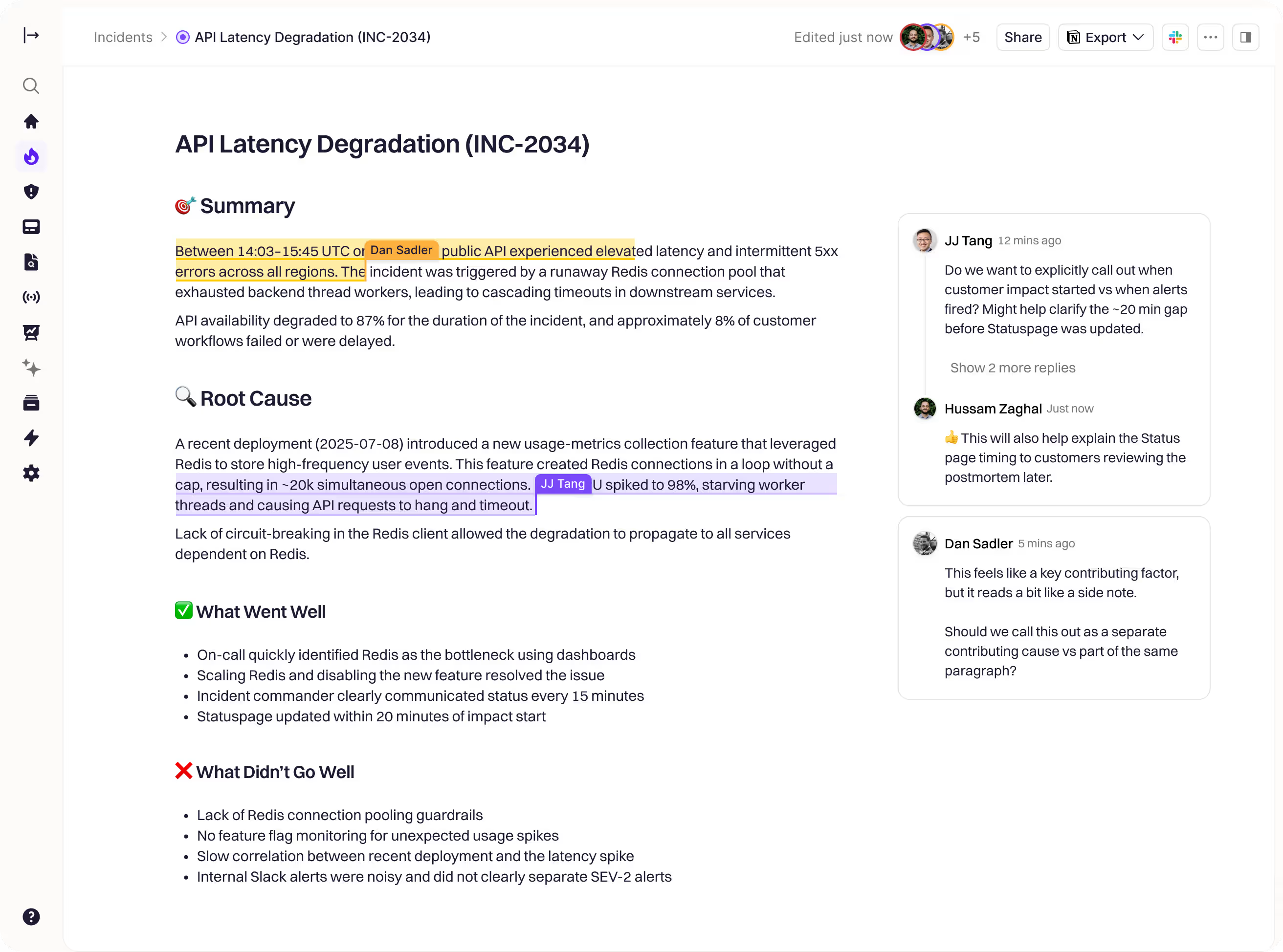
How it works
1. Start with a draft that already has context: When a retrospective is created, Rootly can auto-generate the initial draft (with a consistent structure) so you’re not dropped into an empty document.
2. Use AI while you write—inline and on demand: Highlight text → ask AI to clarify, summarize, rewrite, or check completeness. Prompt AI to fill in missing sections or tailor tone for different audiences.
3. Keep the retro connected to the incident: Insert dynamic blocks with slash commands like /timeline and /followups to pull in live incident updates while you’re drafting. Add any variable (e.g. {{ incident.title }}) to keep key metadata consistent and export-ready.
4. Collaborate and review in one place: Co-edit in real time, leave inline comments with threads, and rely on autosave/offline resilience so work doesn’t disappear mid-review.
5. Publish to your doc stack: Export the finalized retrospective to your connected documentation tools. Exports are designed for clean distribution into your knowledge base, while Rootly remains the operational home for incident data and follow-up execution.
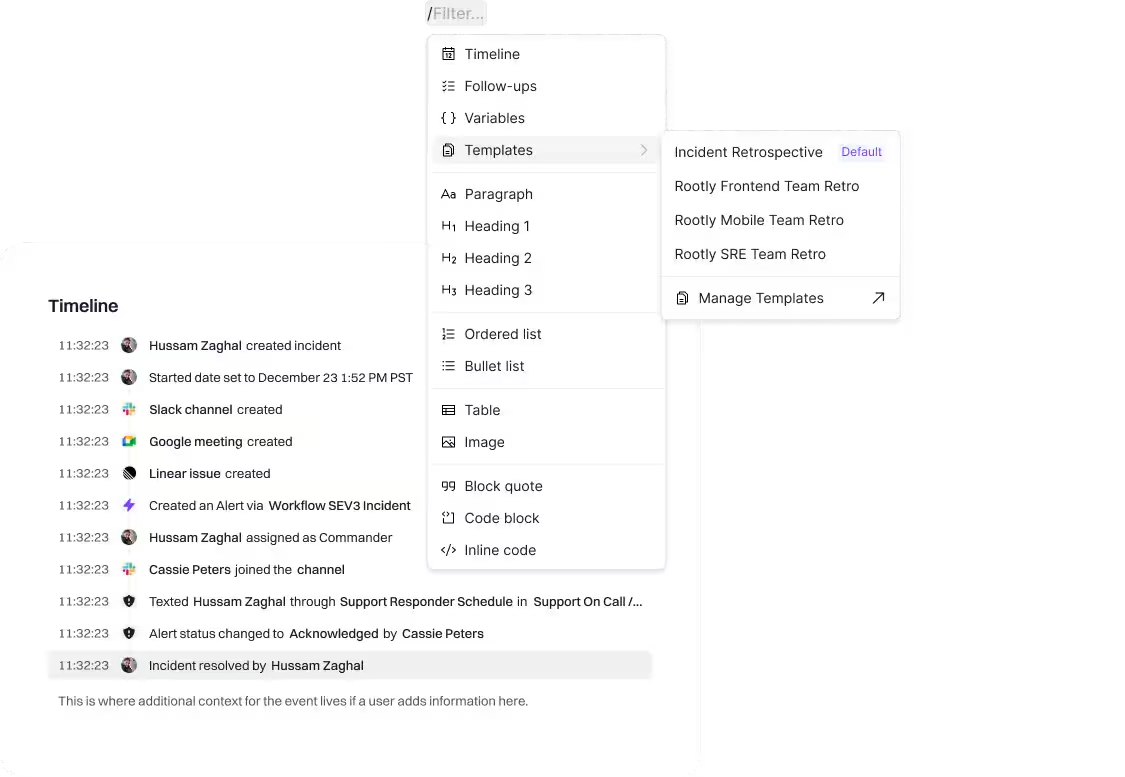
To get started, open any incident and head to the Retrospective tab.
Check out the docs for more information.