Service & Team Broadcasts: Targeted Notifications for Enterprise Scale
Service and Team Broadcasts let you set announcement channels per service and team, so incident and alert notifications reach the right Slack channels at scale.
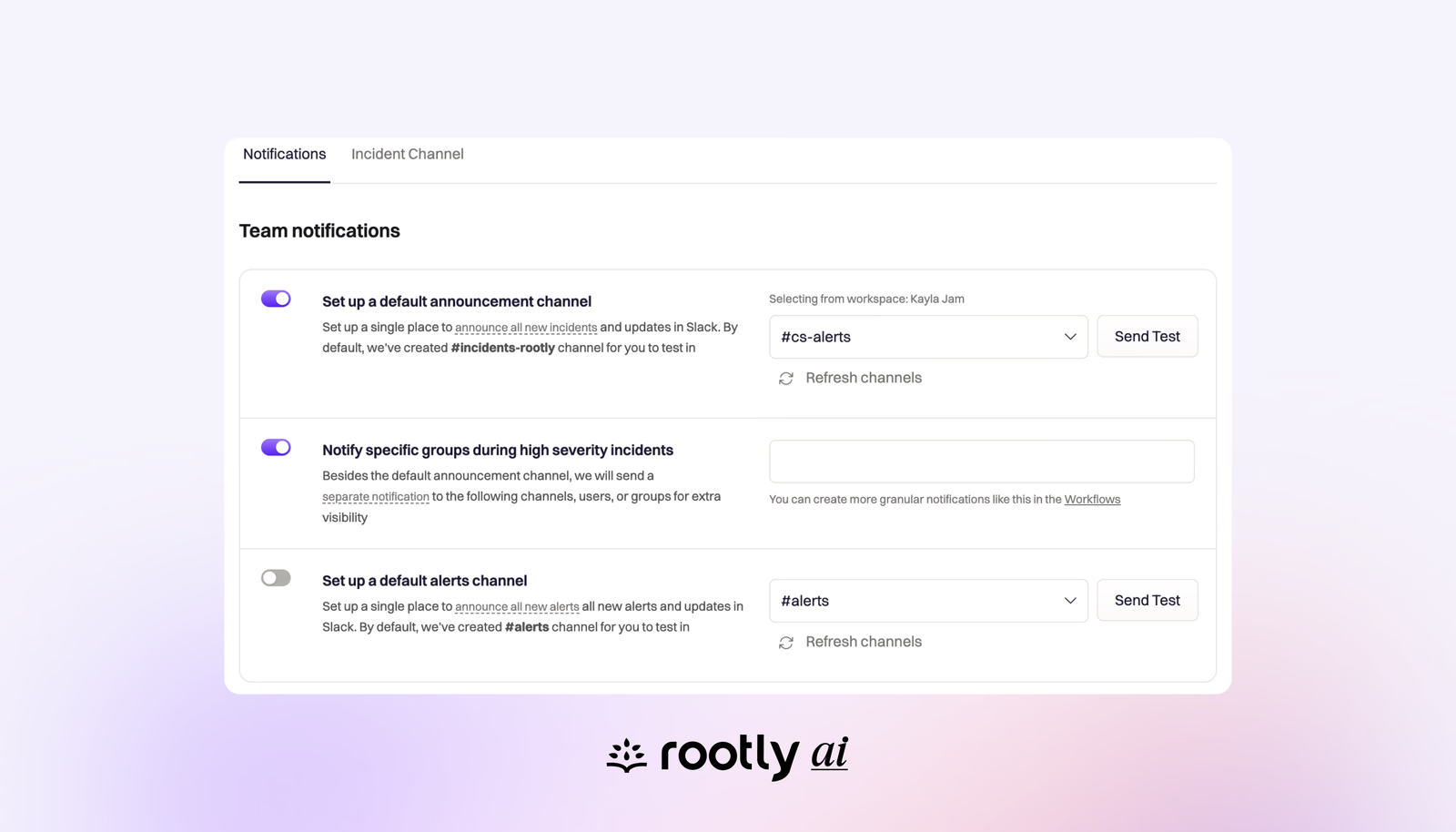
Stop the notification noise. When you’re managing hundreds of services across multiple teams, broadcasting every incident and alert to a single Slack channel creates information overload. Your stakeholders don’t need to see every page, they need to see the incidents that matter to their services and teams.
Service & Team Broadcasts solves this by letting you configure announcement channels at the service and team level. Now when your payment service goes down or your database team gets paged, notifications go directly to the relevant channels where the right people can respond immediately.
This is essential for enterprise incident response at scale. When you have dozens or hundreds of services and teams, targeted notifications ensure the right people respond to the right incidents without overwhelming everyone else with irrelevant alerts.
How It Works
Team-Level Configuration: Navigate to any team in Rootly and open the Channels tab. Configure two notification types:
- Setup a default Alerts Channel
- Setup a default Incidents Channel
Or navigate to Configuration>Slack>Team Notifications
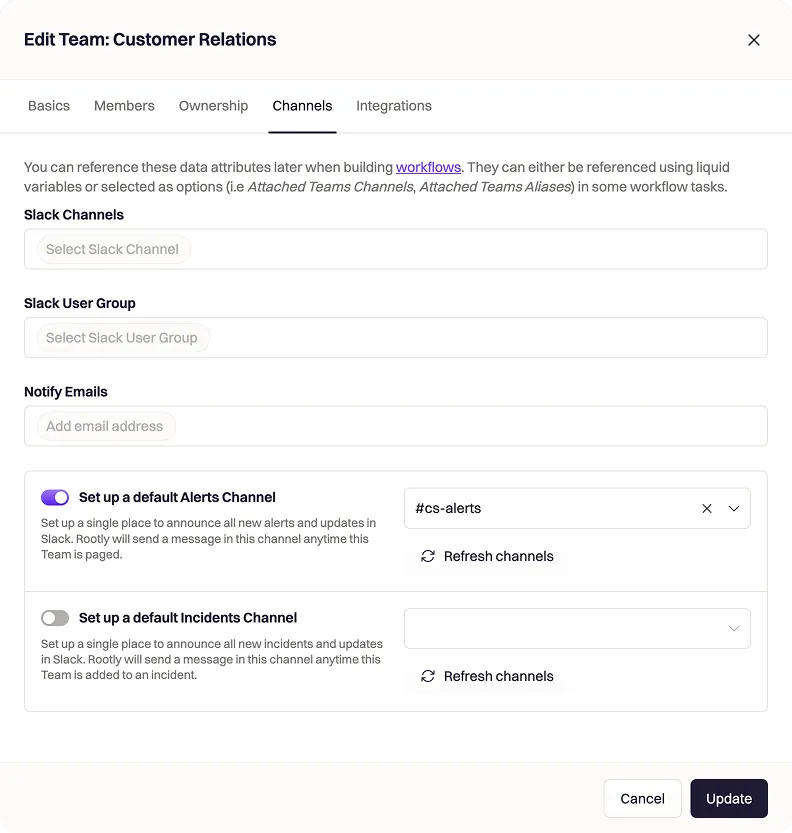
Service-Level Configuration: Same interface, different scope. Set up channels for individual services so when your API gateway or authentication service triggers an incident, only the relevant engineers and stakeholders see the notification.
Related changelogs

From sign up to incident-ready in minutes.
One command sets up your team, on-call, alerting, and status page, then pages your phone to prove it works.

Live mode on the Alerts view.
Live Mode on the Alerts view streams new alerts into the table as they arrive, with no page reloads and no lost filters or selections during busy incidents.

The Rootly Edge Connector
The Rootly Edge Connector links internal services and monitoring tools behind your firewall to Rootly over a secure outbound connection.