Org-wide rotations without duplicating team schedules.
Schedules in Schedules, or nested schedules, let you assign a shift to another schedule so you can build org-wide rotations from existing team schedules.

Schedules in Schedules let you assign a shift to another Schedule, so you can compose larger, higher-level rotations from existing team schedules. This is ideal when you need an “Engineering Org” or “Platform-wide” on-call rotation that rolls through many teams or subject-matter expert schedules—without having to copy people or manage every team’s rotation yourself. Nested Schedules give you a composable, org-friendly way to run on-call: teams keep control of their rotations, while leadership gets a reliable, low-maintenance roll-up schedule for paging at scale.
Why it matters
At scale, on-call scheduling becomes a composition problem: teams own their rotations, but the org needs a consolidated escalation surface. Nested Schedules give you:
- Scalable schedule management: Keep ownership where it belongs (each team manages their own schedule) while the org layer references those schedules as building blocks.
- Lower maintenance overhead: No more recreating mega-schedules or updating multiple places when team rotations change. If a team updates their schedule, the org rotation automatically stays current.
- Cleaner escalation paths: Page the top-level schedule and Rootly ensures the right currently-on-call responder inside the nested schedule gets notified.
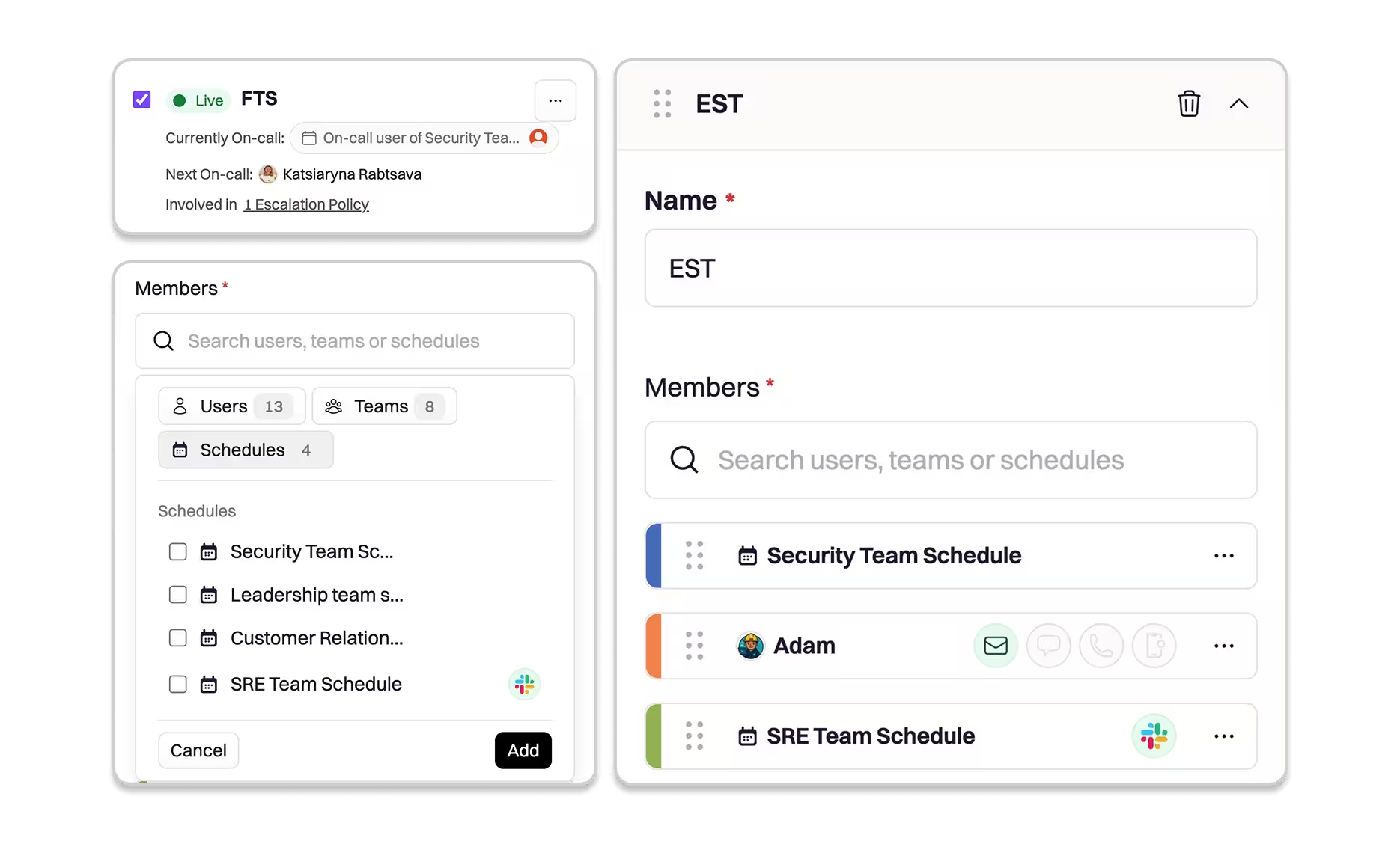
Rootly On-Call UI components during editing a schedule, now with the ability to add schedules, users, and teams.
How it works
Nested Schedules allow a Schedule to be a member of another Schedule. When the nested Schedule is the active shift in the parent rotation, Rootly pages whoever is currently on call in that nested Schedule.
Example:
- Giang is on call for the EU Team Schedule.
- The EU Team Schedule is added as a shift in the Engineering Org Schedule.
- When the Engineering Org Schedule rotates to the EU Team Schedule, paging the org schedule will page Giang (the active on-call user for EU).
This works the same way whether the parent schedule rotates through two schedules or fifty—each nested schedule resolves to its current on-call responder at page time.
To get started navigate to On-Call → Schedules → Edit Schedule. Check out the docs to learn more.
Related changelogs

On-Call Paging in Microsoft Teams.
Rootly On-Call now pages responders, posts alerts, and lets them acknowledge, escalate, and resolve right in Microsoft Teams.

The on-call widget, 24-hour time, and a new Alerts table.
Three new features for responders: 24-hour time, a live on-call widget in the sidebar, and a customizable Alerts table.

Pay calculator for global teams.
The On-Call Pay Calculator now supports global teams: run pay reports in any timezone or per user, filter by team and schedule, and export the results.