
 Wealthsimple drove a culture of psychological safety for incident commanders with Rootly.
 Chris Inch
On-Call
No more workarounds, no more endless configuration. Rootly On-Call is the reliable routing between your monitoring and your responders—by team, service, and everything else that makes sense, all with zero manual coordination.
Mon29
Tue30
Wed1
Thu2
Fri3
12:00–12:00
HHugh
12:00–12:00
KKay
12:00–12:00
HHattie
12:00–12:00
AAlfonso
12:00–12:00
WWillis
9:41
 Rootly · now
High: Redis Engine CPU High
production-redis-002 · You're on call for Messaging
‹ #jetdhv · Leader · High
Redis | Engine CPU High production-redis-002 [PRODUCTION]
DetailsTimelineGroupPayload
Summary Generated 10:22 AM
Redis CPU on production-redis-002 spiked to 96% after a message queue storm from one customer's rescheduled jobs. Messaging updates are delayed for several customers, and CPU is falling as mitigations land.
Source link
See in Datadog ↗























AI-powered on-call that’s built for simplifying paging, scheduling, requesting coverage, and more—so you can stay focused on fixing.
Schedules →Designed for the way human responders actually work—with ease and efficiency in mind.
Alerting →Get all your alerts and context in one place.
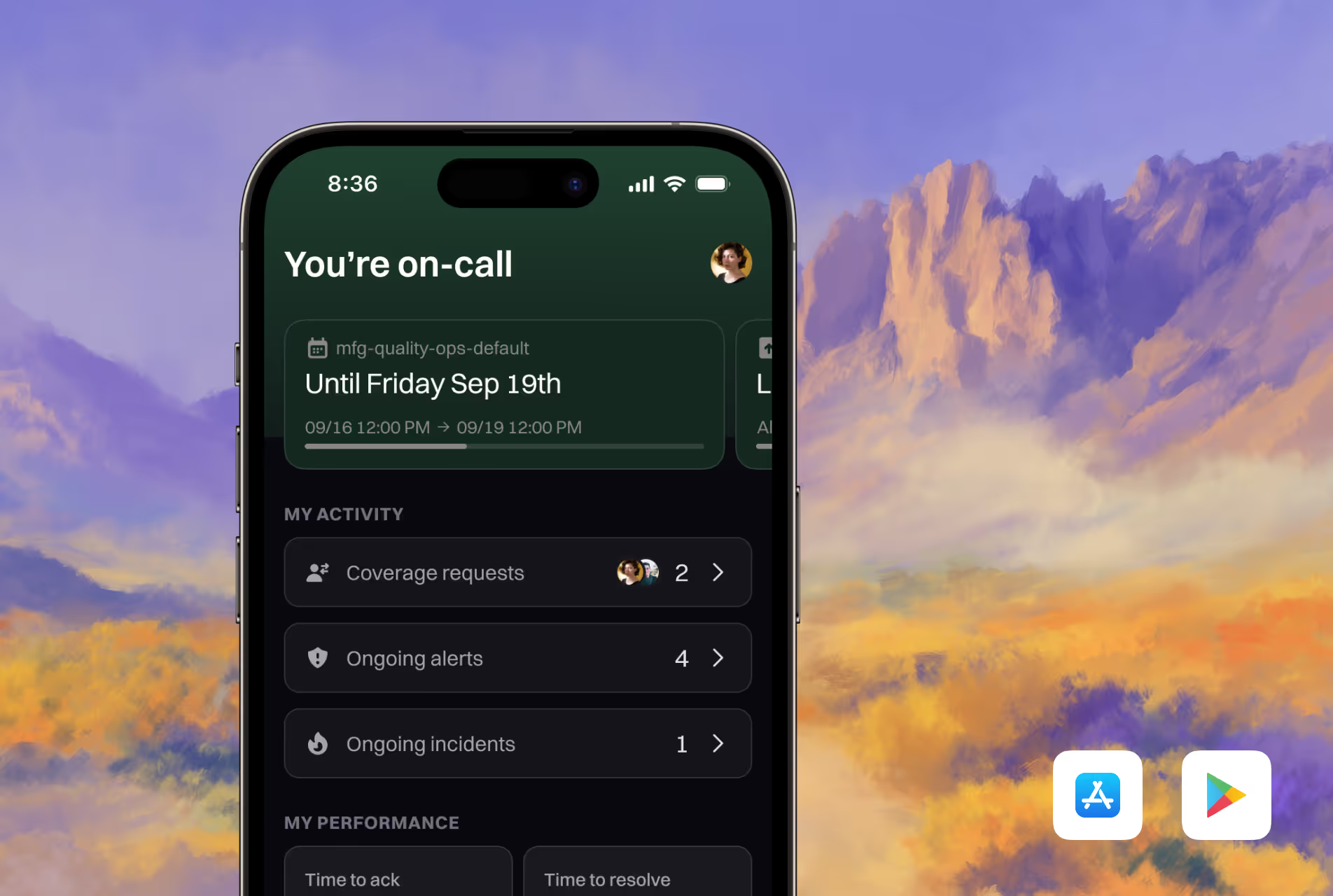
Mobile →Every detail thoughtfully crafted—from the data at your fingertips to the ringtone that wakes you.
99.99% →Your incidents won’t wait—our redundant infra makes sure your pages don’t either.
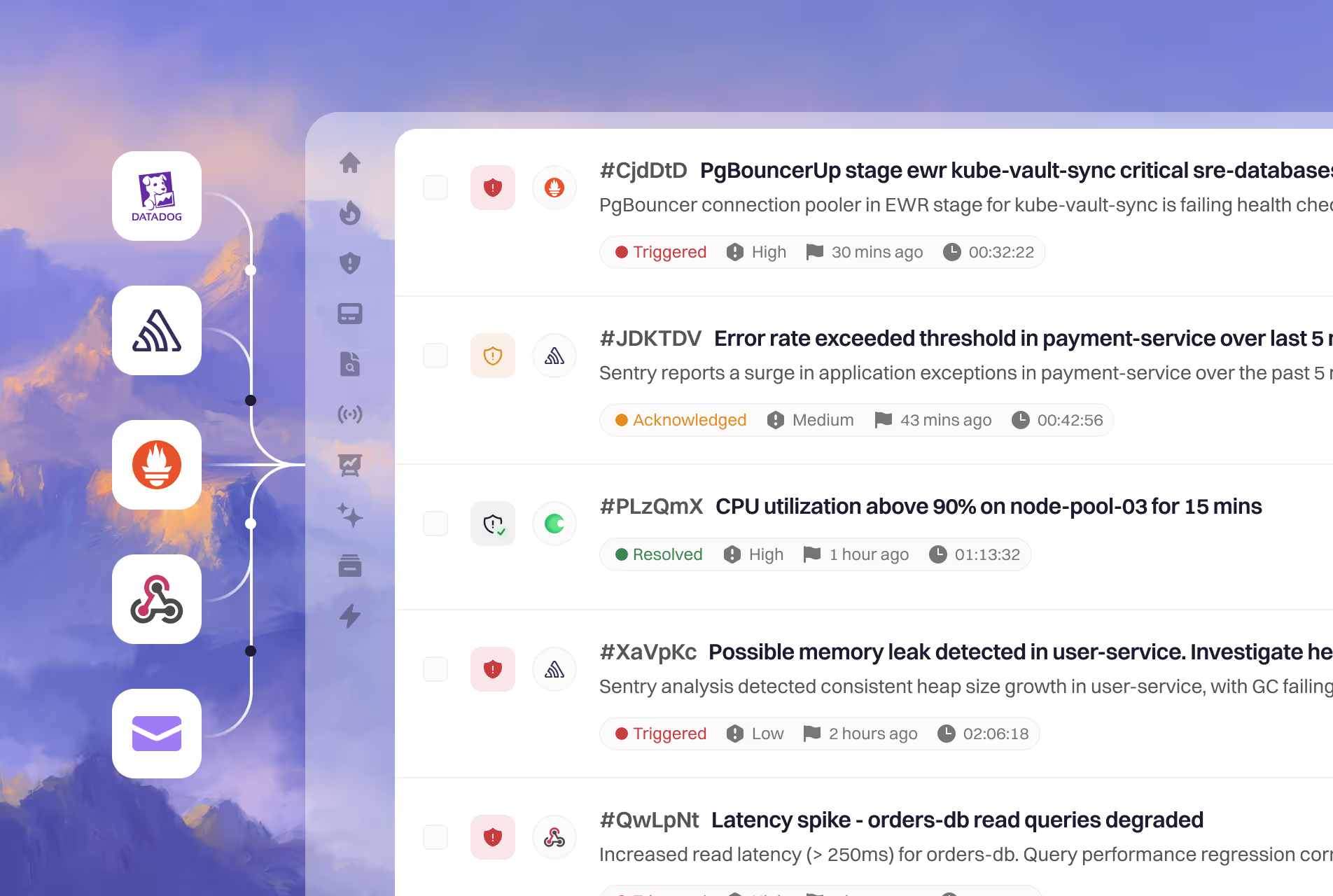


Connect all your existing alerting sources—and extend further with our Terraform provider, API, or MCP server.
Explore all integrations
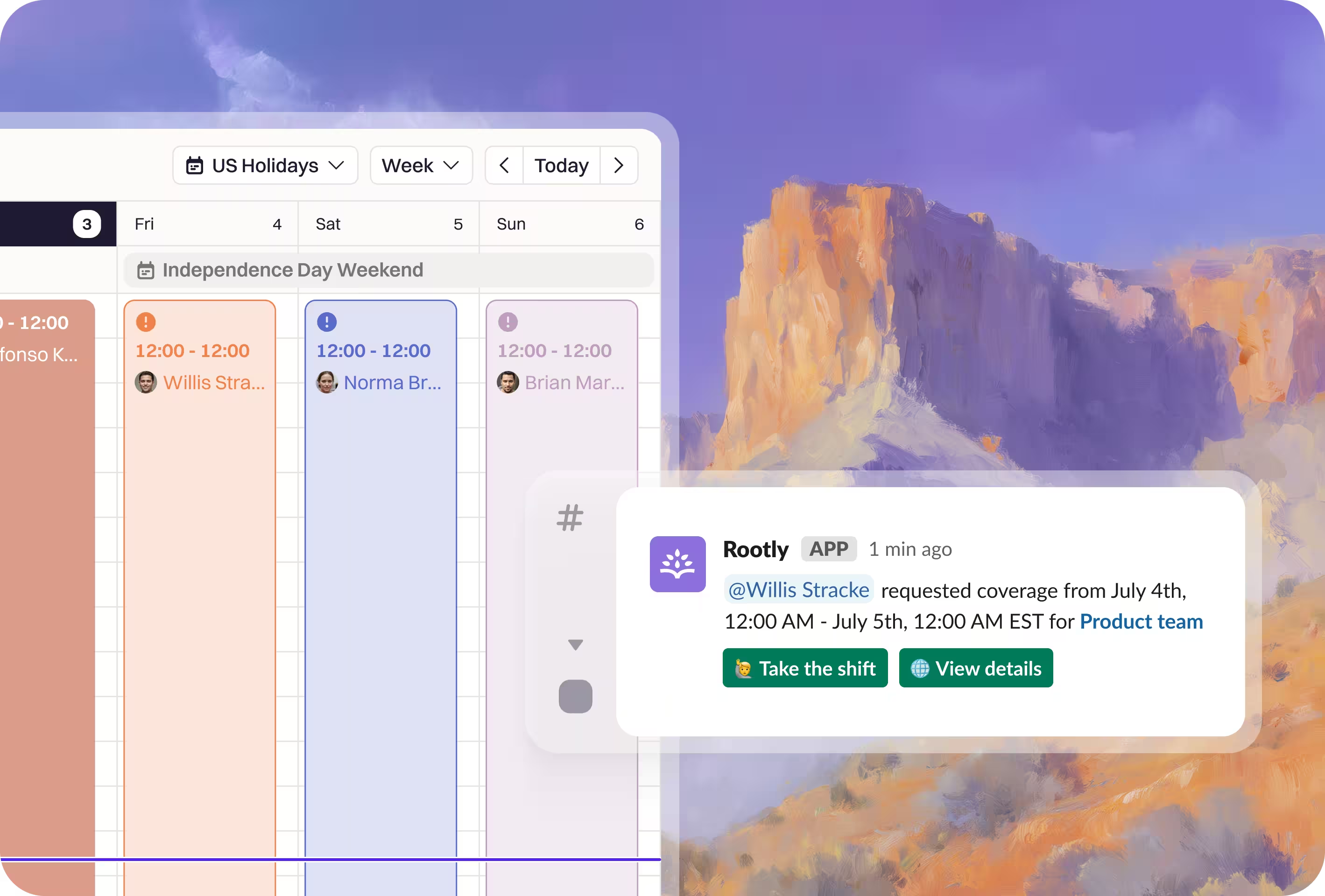
Build schedules around teams or a dedicated group for peak events like Black Friday, and let Rootly route around PTO automatically so no one gets paged poolside in Barcelona. Need cover for a dentist appointment or a full shift? Request it in one click and Rootly's AI finds and schedules the substitute—all built in plain language, without a million clicks.
Fri3
Sat4
Sun5
Independence Day Weekend
! 12:00–12:00
WSWillis StrackeNBNorma Brown
12:00–12:00
NBNorma Brown
12:00–12:00
BMBrian Marsh
Rootly APP 1 min ago
@Willis Stracke requested coverage from July 3, 12:00 AM to July 4, 12:00 AM EST for Product team
Found 3 teammates who are free and not on call that weekend
Norma Brown took the shift. The schedule is updated.
The Rootly app for iOS and Android brings real context to every page—what's happening, what's affected, and the action items to start resolving, and with mobile AI, you can ask questions and direct actions right from your fingertips, acknowledge, escalate, or hand off from anywhere in the world.


9:41
Rootly · now
High: Redis Engine CPU High
production-redis-002 · You're on call for Messaging
‹ #jetdhv · Leader · High
Redis | Engine CPU High production-redis-002 [PRODUCTION]
DetailsTimelineGroupPayload
Summary Generated 10:22 AM
Redis CPU on production-redis-002 spiked to 96% after a message queue storm from one customer's rescheduled jobs. Messaging updates are delayed for several customers, and CPU is falling as mitigations land.
Source link
See in Datadog ↗
Redis Engine CPU High
What's the customer impact?
Messaging updates are delayed for several customers on the shared queue. No messages are lost, and delivery is catching up as CPU falls.
Catch me upEscalateHand off
Reply to Rootly AI
Multi-region resilient infrastructure backed by a 99.99% uptime that delivers your alerts across voice, SMS, push, Slack, and email with automatic fallbacks and Do Not Disturb overrides, so the page that matters most never gets missed.
SEV1 Paging Dana K. · Messaging primary
Acknowledged Dana K. picked up in 2m 08s
99.99% uptime · multi-region

Configure on-call through our API and Terraform provider, version-controlled like SREs want it, plus Rootly's MCP server so your AI agents can query and configure on-call directly.
We scoped, planned, and migrated tens of thousands of teams for companies like DoorDash and Brex. You get the full audit and plan upfront before committing.
We get it, there's migration work to do to ensure continuous service. That's why you don't start paying for Rootly until the day your PagerDuty contract ends.
Simple, intuitive, powerful, efficient, and beautiful.
Who are you paging?
General Schedule
Web App Service
Security Team
JAJane
JOJoseph
JAJamie
No more using services as a workaround. Page teams, services, and more.
Shadow users
JWJerry WangShadowing JJ Tang · Jul 18 – Jul 31
Paged alongside the primary. Ends on its own.
No extra rota, no manual cleanup when shadowing ends.
Triggered High CPU on production-redis-002
Summary
CPU spiked to 96% after a queue storm. Mitigations are landing and CPU is falling.
Catch me upAcknowledge
Ask questions and direct actions right from your finger tips, from anywhere in the world.
Allow partial override
General on-callJan 11, 4:30 PM – 4:30 PM
General on-call Partial overrideJan 11, 4:30 PM – 4:30 PMJan 11, 4:30 PM – 6:30 PM
General on-callJan 12, 4:30 PM – 4:30 PM
Overrides and requesting coverage made easy, including your PTO and holiday schedule.
JA Jane
Paged Jan 4, 13:52
Outside work hours 6 hrs 32 mins
Compensation $512
No more manually calculating who should get paid with spreadsheets.
On-call schedules + New schedule
General
Product
Security
The basics done right. Setup your first schedule or escalation in minutes.
 @oncall-infra@jason@jamie
Shift changed. @oncall-infra now pings Jamie.
Sync Slack user groups like @team-infra with on-callschedules.
Payments (Secondary) 24/7 coverage
Gap on Thursday, 2 AM to 6 AM
Covered by schedule owner Ashley S.
Never get caught with no one on call.
Incoming alert
Escalate to next level
Automatically rotate on-call responsibilities, so no single team member is overwhelmed.
Consistency matters, ensuring escalation policies have enough levels.
Pager load for the last 90 days
Reporting and metrics from alerts to on-call readiness and everything in between.
>_ MCP Claude CodeCursorWindsurf
Plugged into your IDE and CLI, so you can set config, get answers, and resolve incidents in seconds—right where you work.
 Wealthsimple drove a culture of psychological safety for incident commanders with Rootly.Chris Inch
 Achievers switched from PagerDuty and productized reliability on Microsoft Teams with Rootly.
 Stefan Kolesnikowicz
 Webflow shutdown PagerDuty to use Rootly to build a proactive reliability culture.
 Colin FitzGerald
 Clay switched off Opsgenie to use Rootly to streamline incident management.
 George Dilthey
Everything you need to know about Rootly On-Call.
On-call is the routing system between your monitoring tools and your responders. It brings together schedules, escalation policies, notification channels, live call routing, and heartbeats so every critical signal reaches the right person—reliably and with no manual coordination.
Rootly reads the alert's routing target—service, team, or escalation policy—then uses your live schedules and escalation rules to select the responder. If they don't acknowledge in time, it escalates to the next level until someone does.
Voice calls, SMS, push notifications, Slack, and email. Rootly chooses channels by urgency and user preference, handles retries and fallbacks automatically, and overrides Do Not Disturb for critical alerts.
Yes, multi-person rotations, layered primary/secondary coverage, business-hour-only schedules, time-zone-aware planning, overrides, and shadow rotations. Slack usergroups update automatically so teams always know who's on call.
Live call routing turns a phone call into a page. It supports live connection to the on-call responder, voicemail-to-page, IVR trees for multi-team routing, and failover — the fastest way for a human caller to reach whoever's on call right now.
Heartbeats detect silent failures. If a system stops checking in within its expected interval, Rootly triggers an alert and routes it to the right team; a recovery ping auto-resolves it. It's a first-party liveness check, no external uptime tool required.
Rootly runs on a multi-region redundant architecture with a 99.99% uptime SLA, with multi-channel fallbacks so a critical alert lands even if one channel or provider is degraded.
Most teams are live within a week. Rootly imports schedules and escalation policies directly, supports dual-running during the transition, and can be managed via API and Terraform.