Retrospective templates with customizable AI-blocks.
AI blocks turn incident data, Slack, and call transcripts into a quality first draft, with every prompt and source in view.

On this page

Retrospectives in Rootly write the first draft to save you time and help you write better quality documents, giving you all the context you need to review what happened, reflect, and learn for the future.
Retro documents can now be built with curated AI-blocks. You have six pre-defined blocks already available out of the box: incident summary, impact, root cause, mitigation, resolution, and a curated timeline. Each one is a carefully designed section you can drop into any retrospective doc with a slash command, and can be used to write sections of your document using context from the incident. They give every retrospective the structure the best incident teams use.
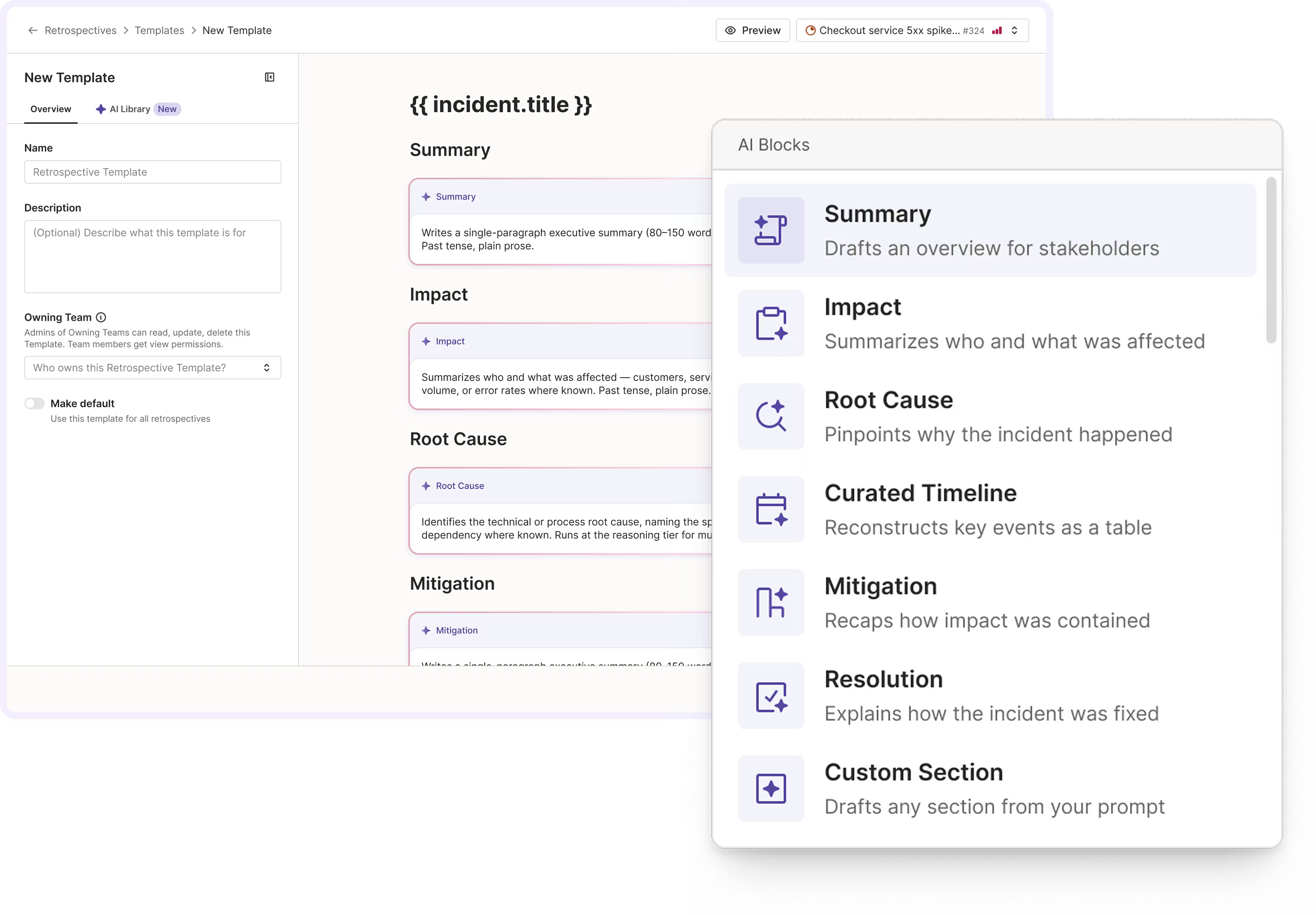
Rootly retrospective AI-blocks and templates UI.
There are no black boxes here. Open any block and you can see exactly how it works: the full prompt behind it and the context it draws from, whether that’s your incident data, the Slack channel, or the bridge-call transcript. You have complete insight into how every section of the doc came to be, so you can review it, refine it, and stand behind it.
The editing experience works the way a doc should. Blocks regenerate on demand based on your instructions, and the output can be edited like any normal text block.
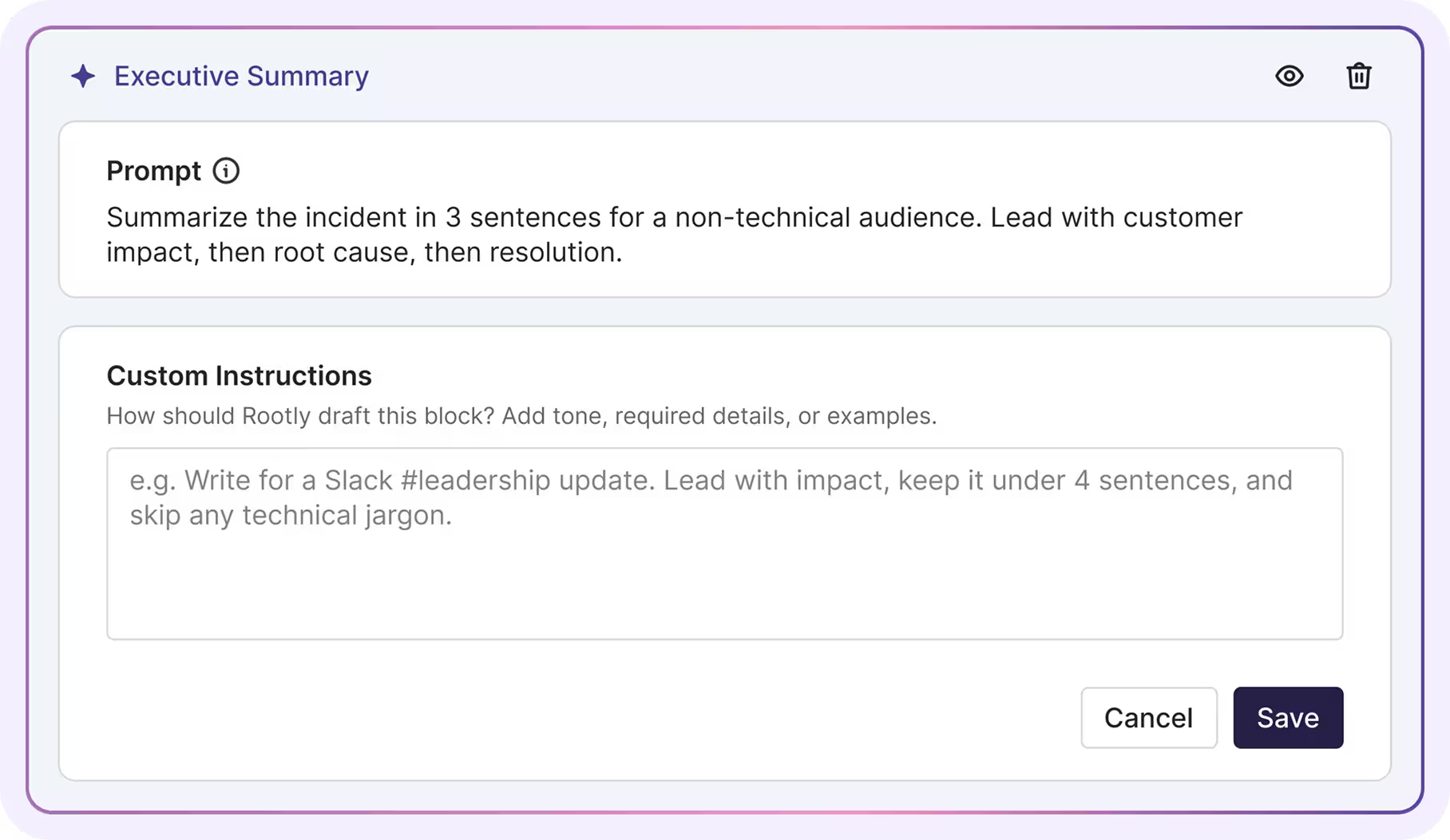
Viewing a retrospective AI-block prompt and adding custom instructions.
Admins can shape their teams retrospective docs using Retro Templates: templates can be built with the pre-built blocks or blocks with custom prompts. Admins can steer each one with instructions like “report impact in customer-minutes lost”. When commanders generate their incident’s retrospective doc, they can select from the list of Templates their admins had built: Rootly will combine the context from the incident with the blocks and instructions in the template to produce a complete, high-quality retrospective doc in one shot.
What’s included
- Six pre-built blocks, ready out of the box: summary, impact, root cause, mitigation, resolution, and a curated timeline
- Full visibility into every block’s prompt and the incident context it draws from
- Inline editing, regeneration, and thumbs-up/down feedback on every block
- Admin-built templates for teams, with per-block or template-wide instructions
- Custom blocks you define with a title and a plain-language prompt
- Four starter templates you can preview against real past incidents before rolling out
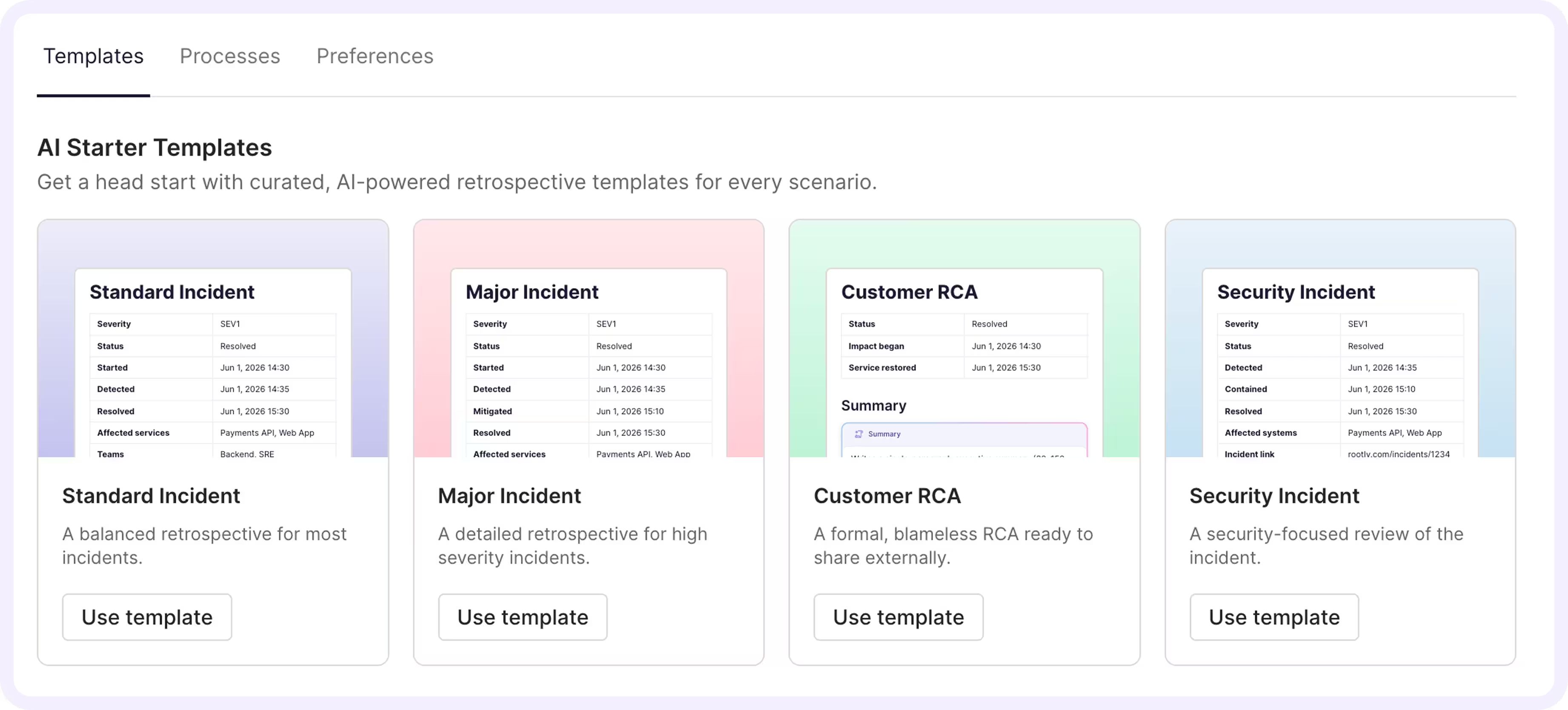
Rootly AI-powered retrospective templates.
Why it matters
The best retrospective has a structure, and getting there from a blank page means hours of digging through Slack and replaying the bridge call. Blocks encode that structure for your team and show their work at every step, so the first draft arrives ready to review instead of ready to rewrite, and the learnings from every incident actually get captured.
Getting started
Turn it on in Rootly AI settings and start your next retrospective with a quality first draft instead of a blank page. Under Settings, navigate to Rootly AI, then toggle on AI in Retrospectives to get the latest AI blocks. See our documentation to learn more.
What else shipped
Improvements
On-Call
- Alert search now surfaces the parent alert group when one of its grouped member alerts matches your search.
- You can now open a follow-up directly from the SLA edit screen to jump straight to it on the incident.
Incident Response
- Duplicate an existing retrospective template to use as the starting point for a new one.
- Alert templates can now use the alert’s event timeline as a Liquid variable in workflows and templates.
- Mistral AI workflow actions get more time to respond, so longer requests no longer fail with timeouts.
- Status page logo uploads now check image dimensions, so oversized logos are rejected up front.
- Slack accounts now link automatically using a user’s secondary email, not just their primary one.
Terraform
Added owner_group_ids (Owning Team) to the rootly_heartbeat resource
Related changelogs
A retrospective template with opinions
The Rootly Retrospective template has seven sections that put contributing factors before root cause, with AI drafting a blameless first pass.
Collaborative Retrospectives, directly in Rootly.
Collaborative Retrospectives generate a structured first draft with a timeline, let your team edit together in Rootly, and export to your knowledge base tool.
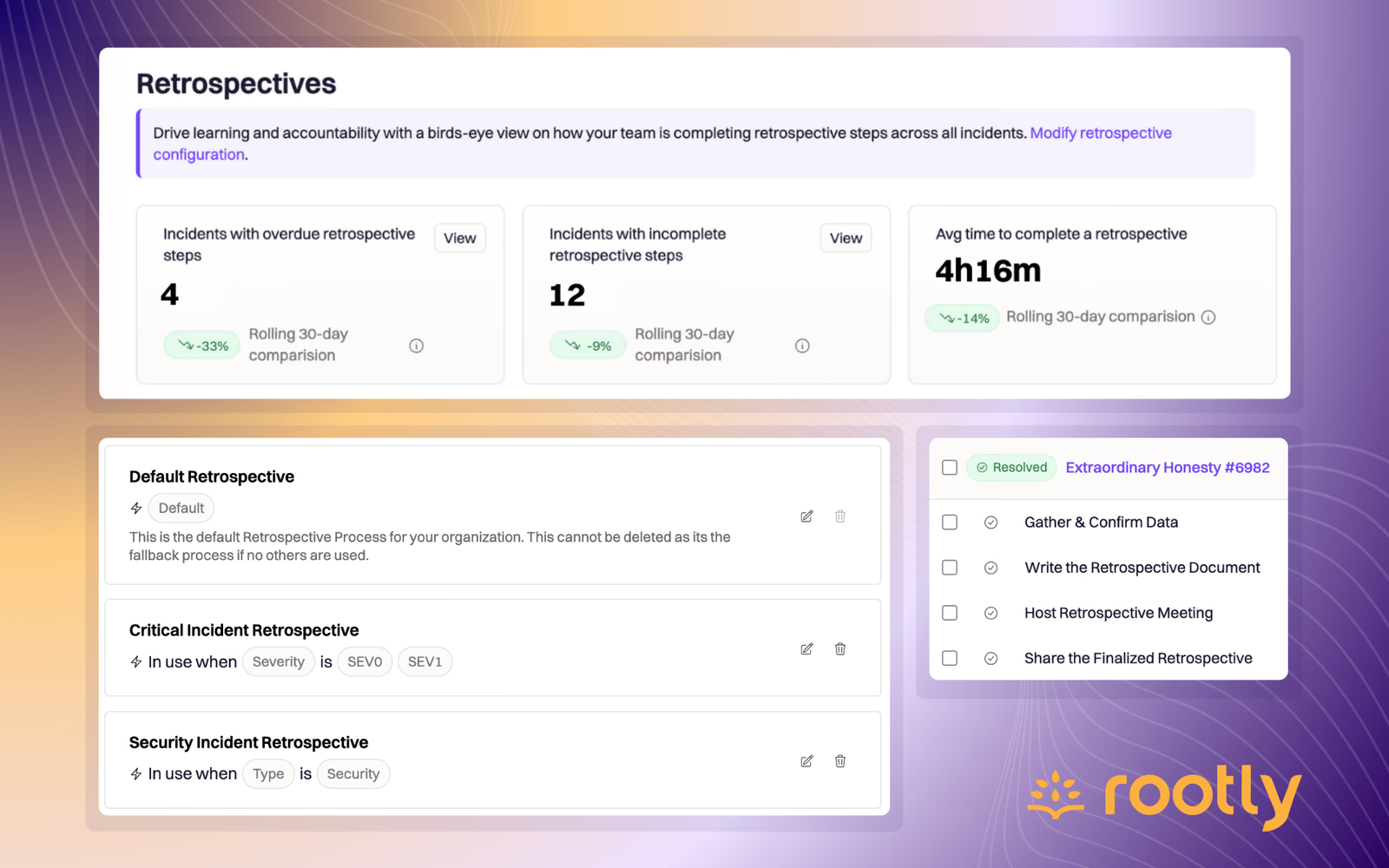
🪄 Rootly Retrospectives
Rootly Retrospectives are configurable processes sized by severity, type or team, guiding you through everything after an incident to act on what you learned.