
 Wealthsimple drove a culture of psychological safety for incident commanders with Rootly.
 Chris Inch
AI SRE
Rootly AI SRE analyzes your code changes, telemetry, and past incidents to quickly identify root causes and the fix, even if you don't know that code.
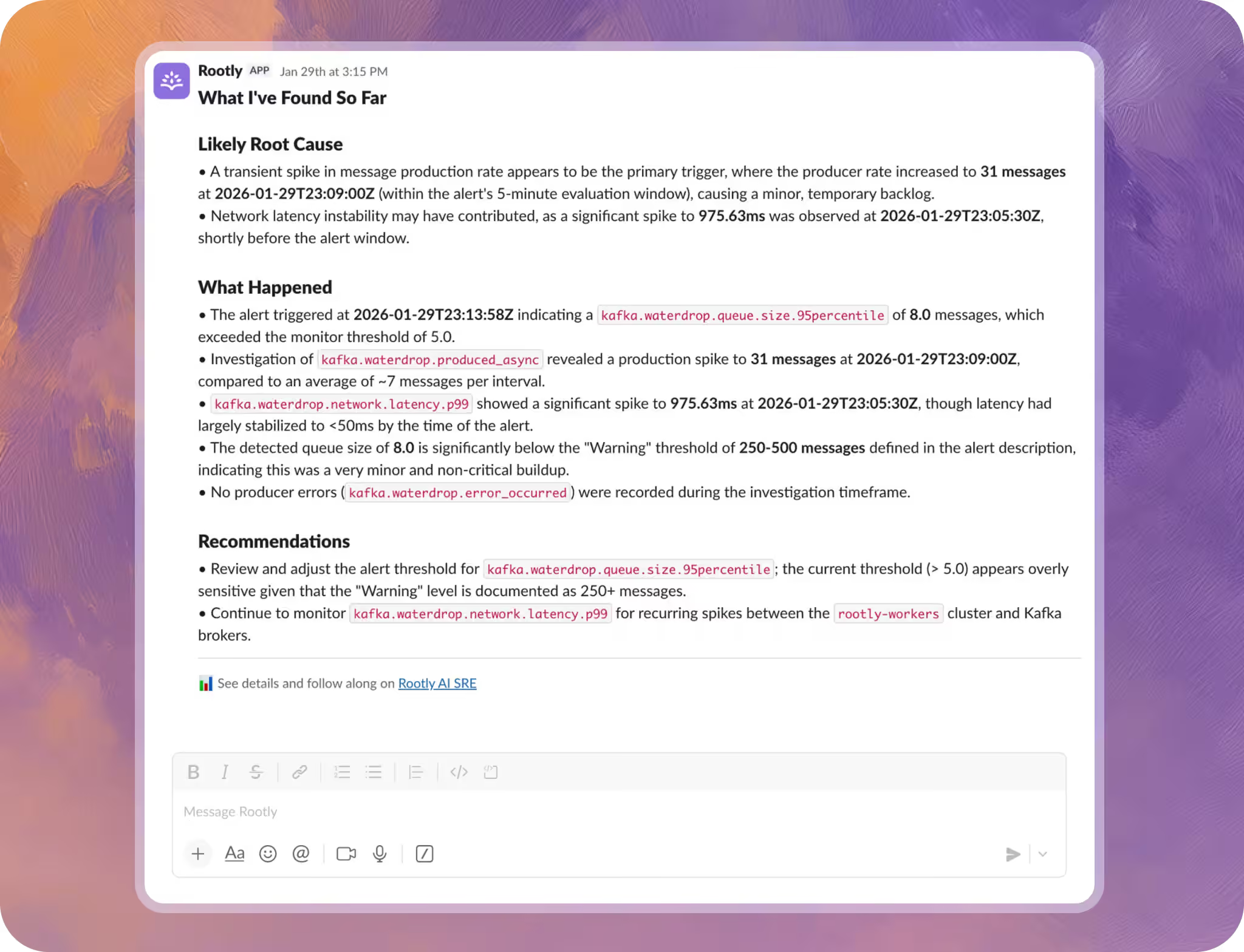























Rootly AI SRE starts investigating the moment an alert fires, before your team has finished reading the notification, surfacing root cause in minutes. Not hours.
Rootly AI handles triage, investigation, and stakeholder updates, so fewer engineers get pulled in, and the ones who do show up with context, not questions.
Rootly AI generates retrospectives from the full incident timeline and tracks action items to completion, so every incident makes your org more reliable.
All the relevant context surfaced based on alerts, code changes, and past incidents analyzed.
Investigate →All the relevant context surfaced based on alerts, code changes, and past incidents analyzed.
Find root cause →Quickly identified probable root causes with confidence scores you can trust.
Suggestions →Suggested fixes and next steps, with complete visibility into how and why every decision is made.
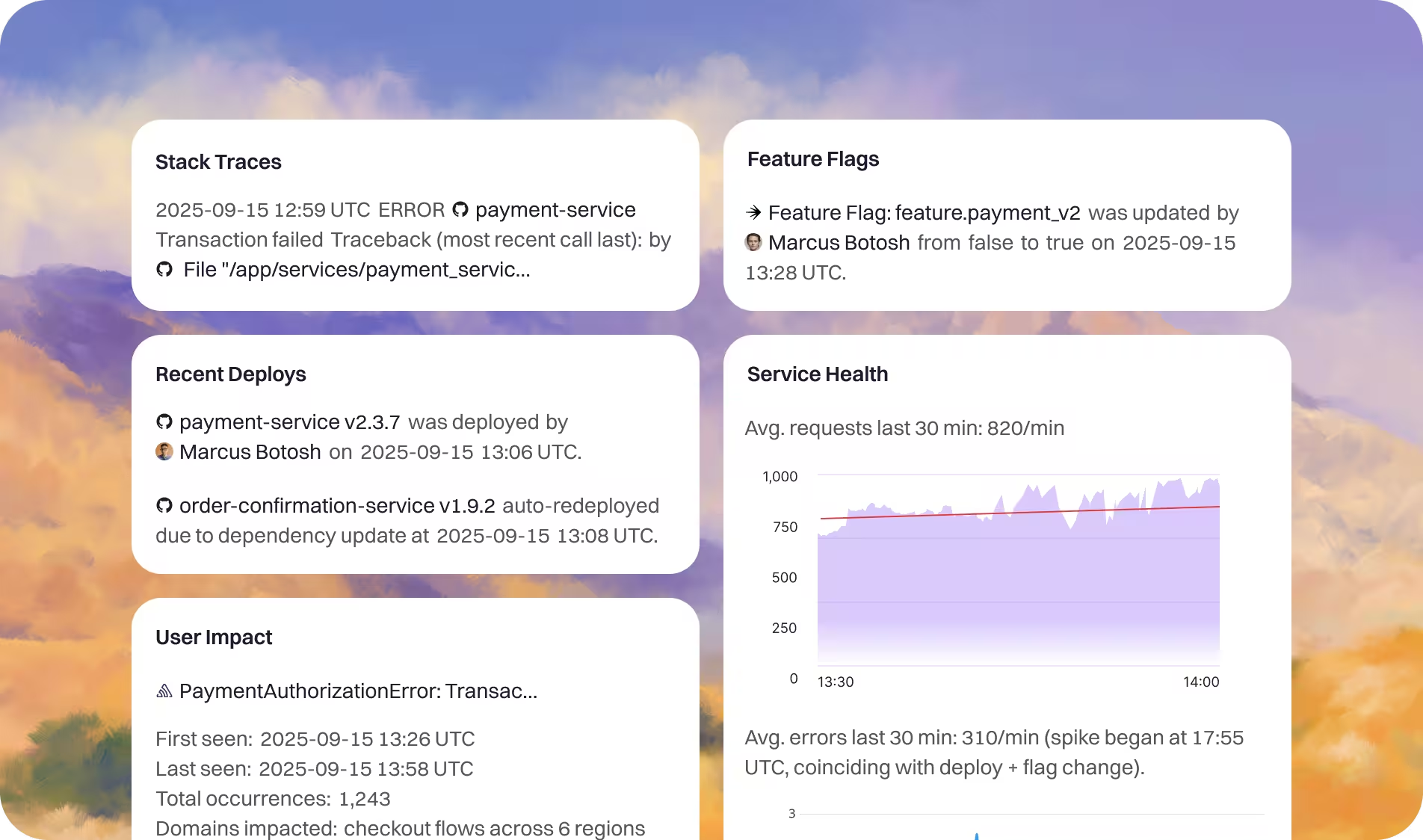
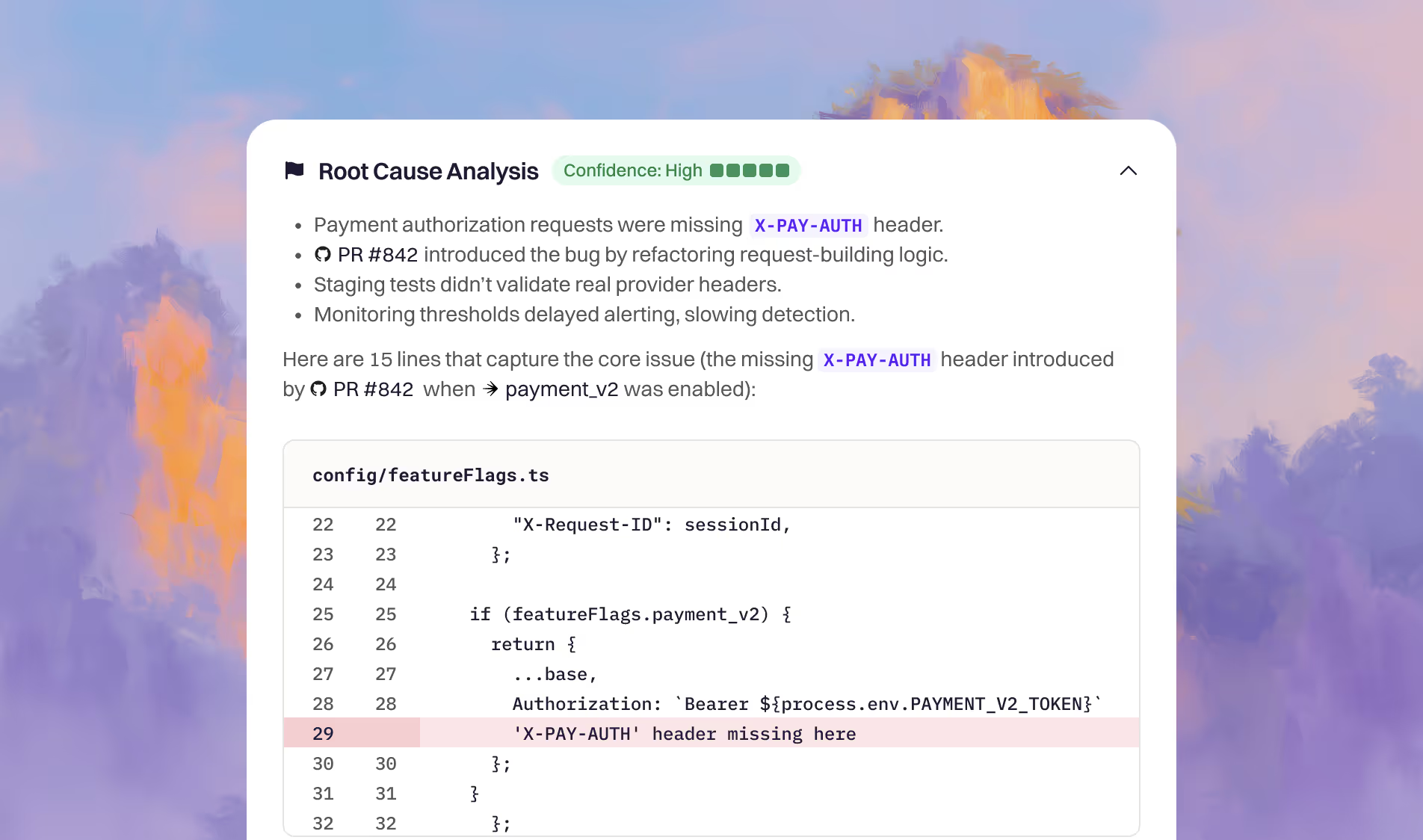
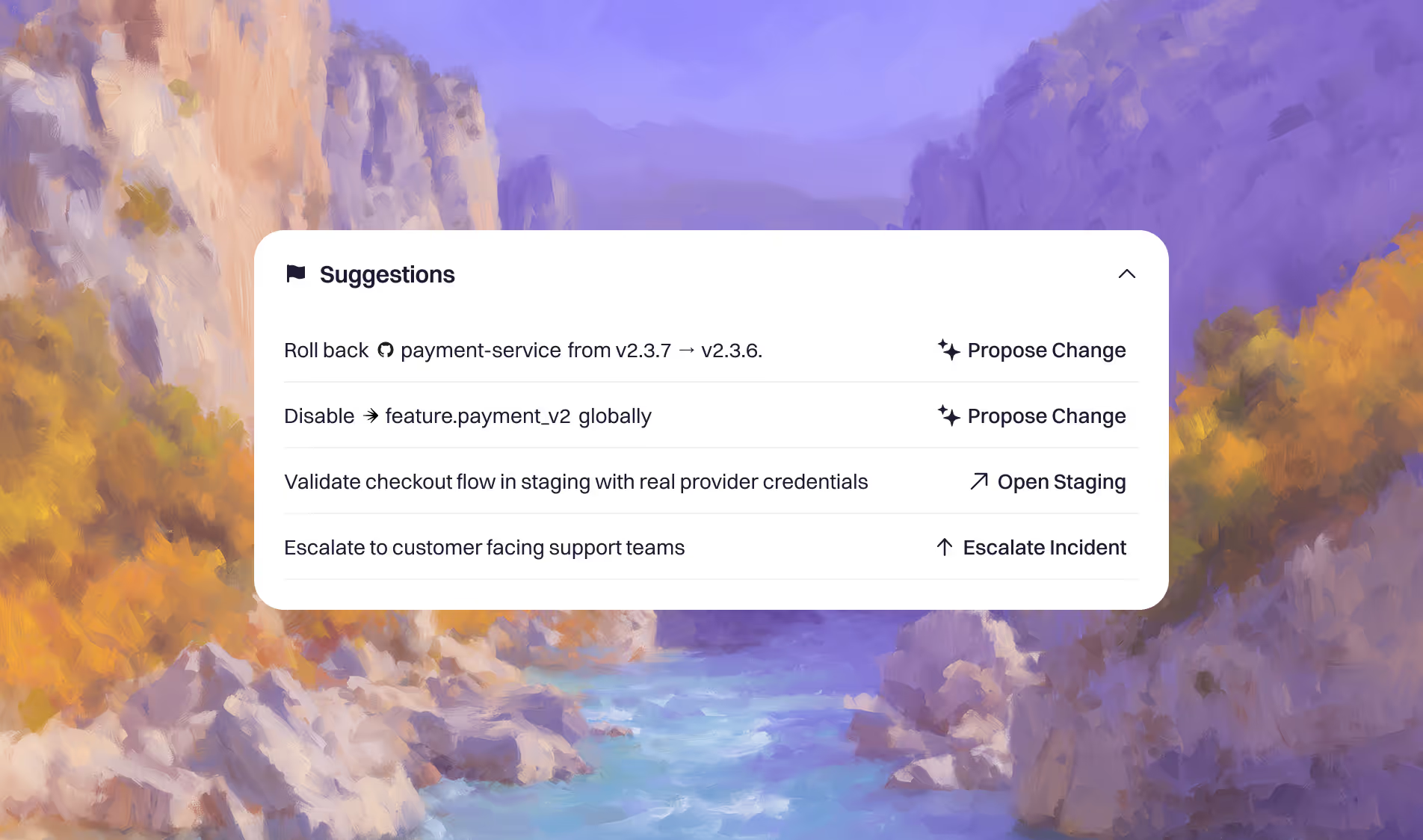
Rootly AI SRE correlates live telemetry, recent deploys, commits, and config changes, plus similar past incidents, to propose probable root causes with confidence scores, so you can act with certainty, not just trust the output. See exactly how deploy-and-telemetry correlation works.
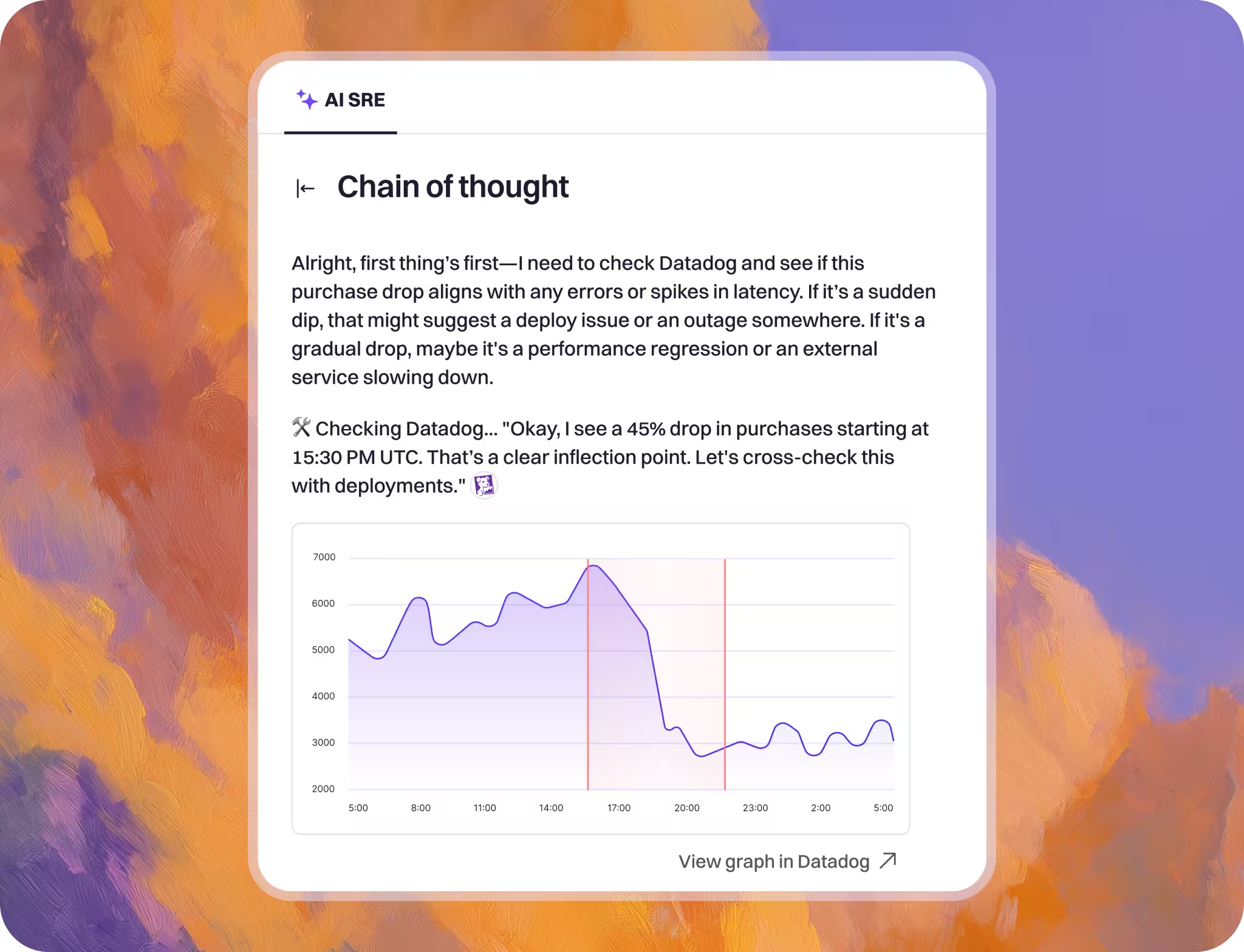
Rootly AI SRE isn't a standalone tool bolted onto your workflow. It's built into On-Call, Incident Response; utilizes Catalog, integrates with your repos, so it already knows your services, their owners, recent changes, and past incidents before it starts investigating.
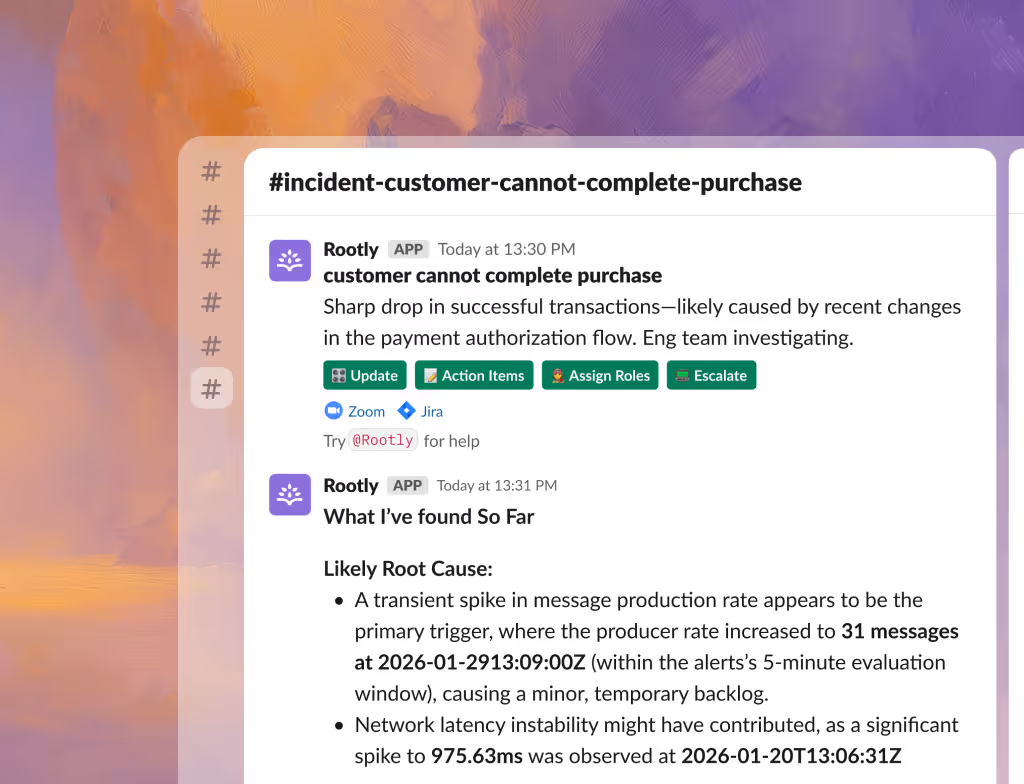
Rootly AI SRE is designed with enterprise compliance needs in mind. We enforce zero third-party model training—your incident data is used exclusively for your organization, never pooled with other customers, never used to train general models.
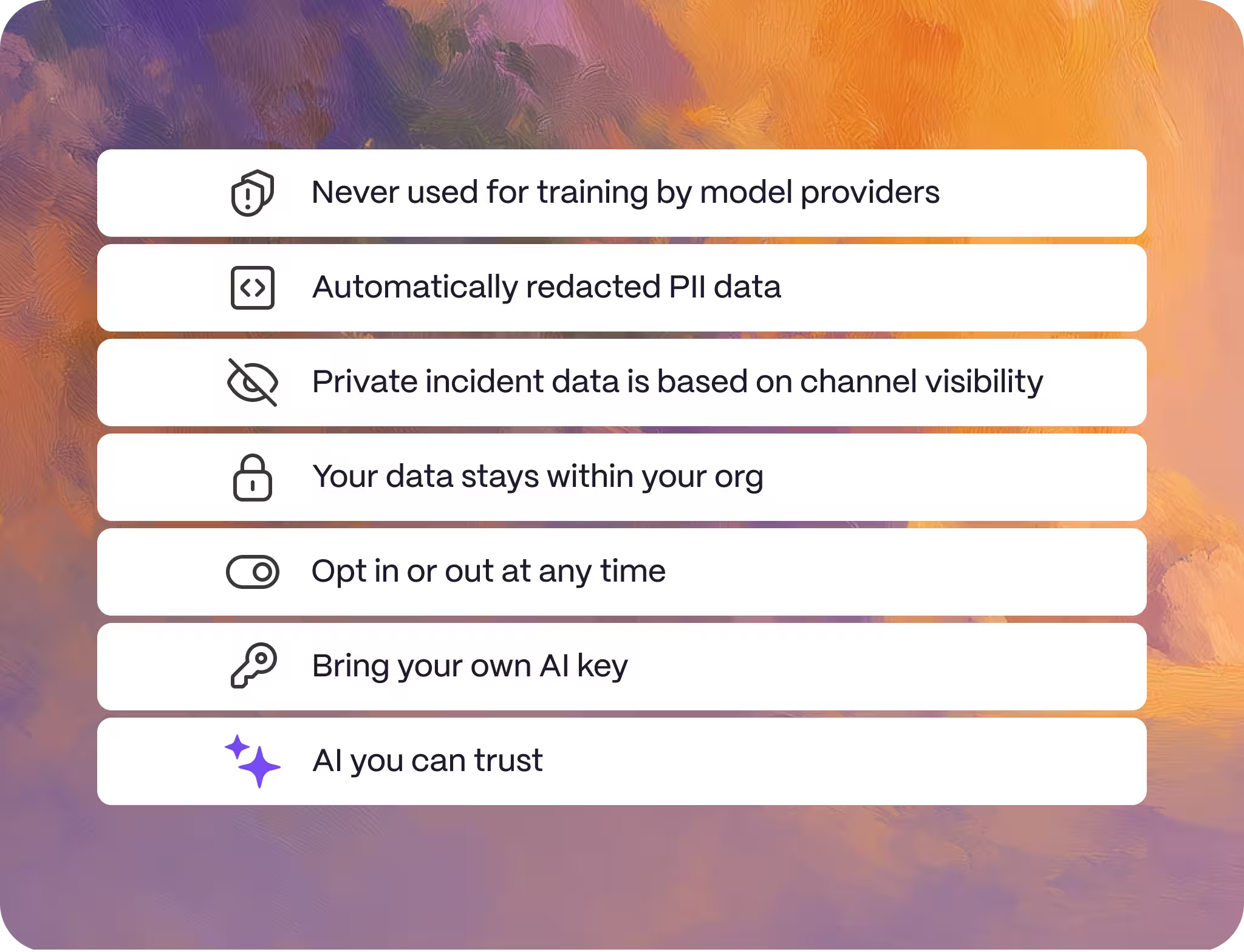
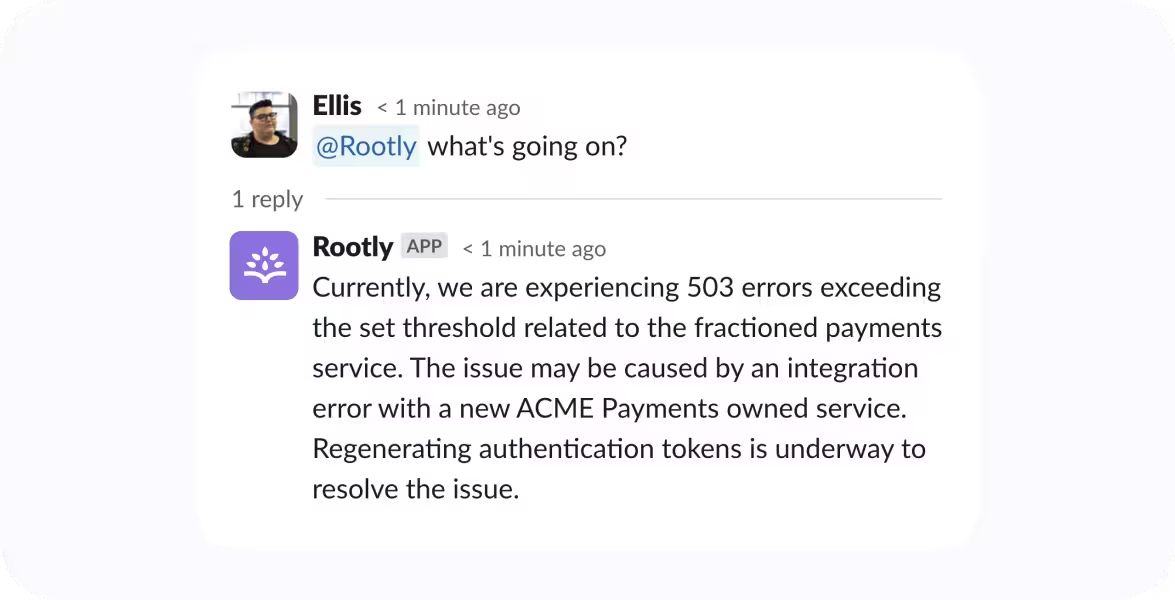
Tag @Rootly to get up to speed in seconds with personalized summaries—plus draft comms, assign tasks, set severities, and more, all in one place.
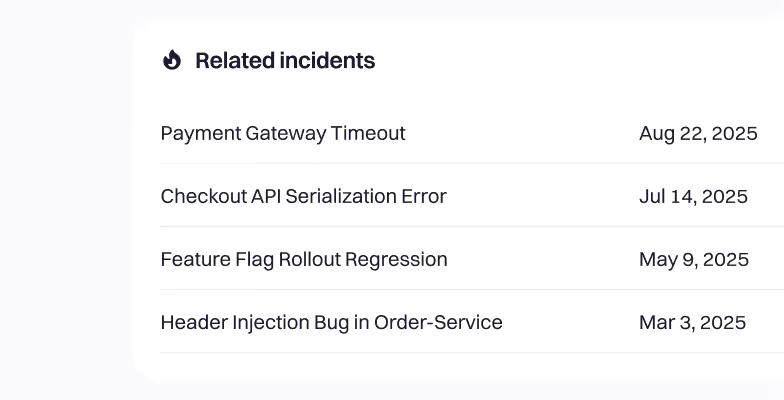
Enhance decision-making with quickly surfaced similar past incidents, reuse proven solutions, and bring in previous responders instantly.

Rootly AI Meeting Bot joins your incident bridges to transcribe in real time and capture critical context—so nothing slips through the cracks.
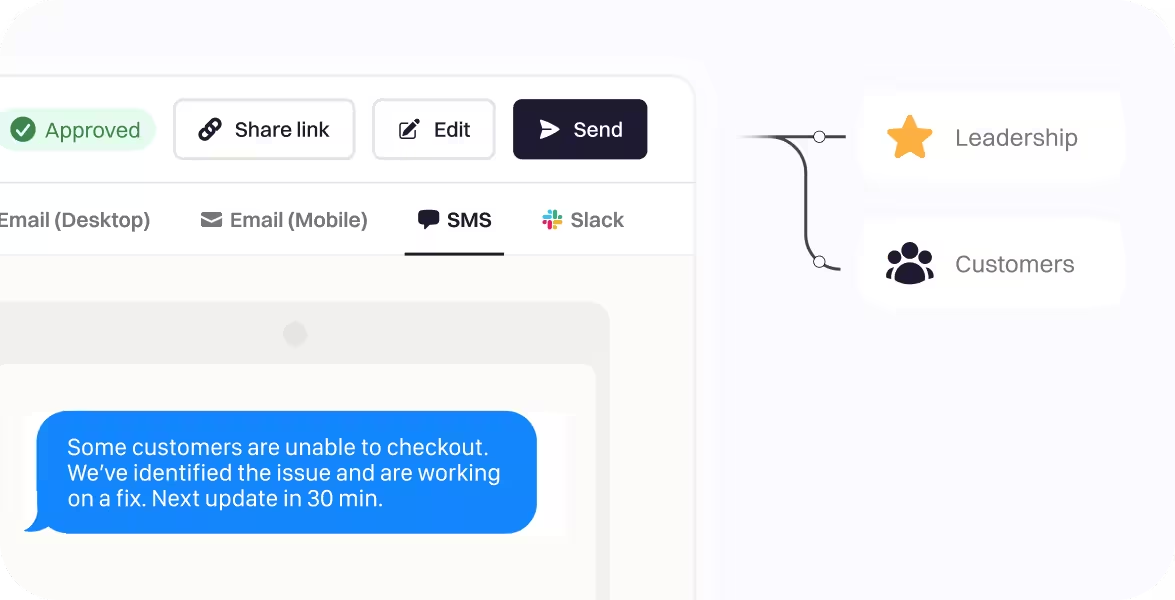
The right level of detail for the right audience, from technical responders to leadership and customers, without pulling anyone off the incident to write them.
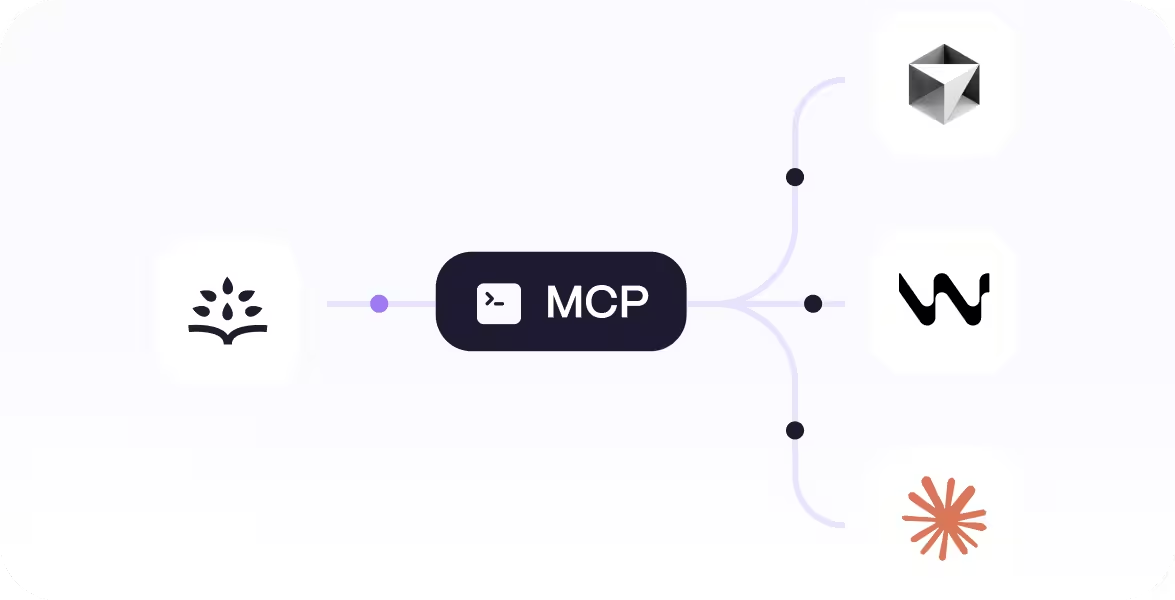
Resolve production incidents in seconds—right from your IDE—with the Rootly MCP server, built to plug into editors like Cursor, Windsurf, and Claude.
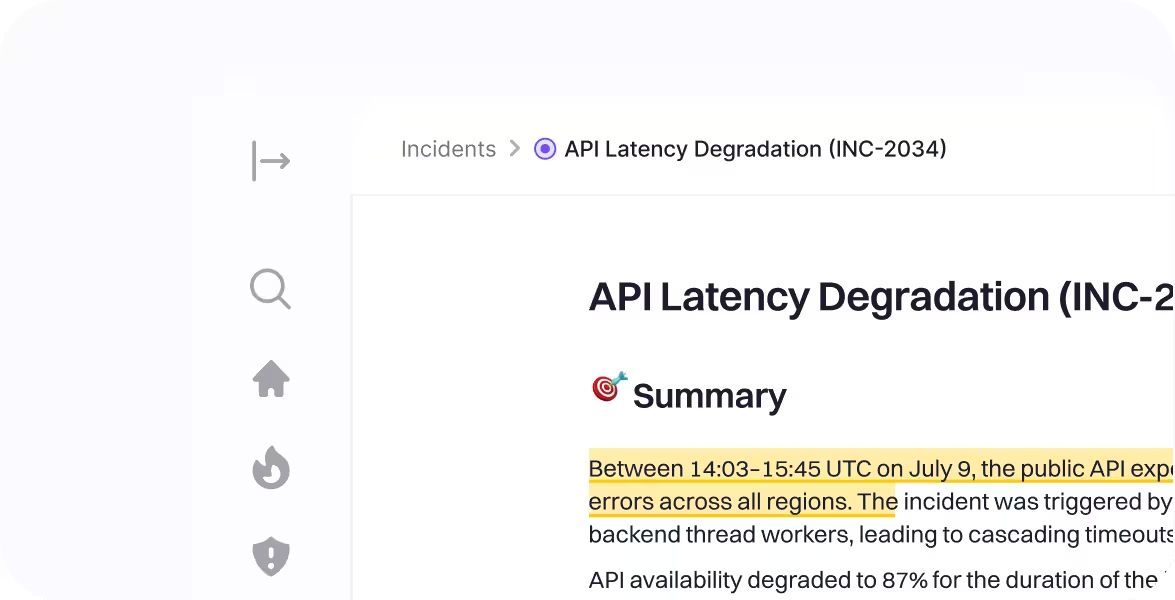
Maximize insights without burnout with auto-generated retrospectives—complete with context and timelines.
 Wealthsimple drove a culture of psychological safety for incident commanders with Rootly.Chris Inch
 Achievers switched from PagerDuty and productized reliability on Microsoft Teams with Rootly.
 Stefan Kolesnikowicz
 Webflow shutdown PagerDuty to use Rootly to build a proactive reliability culture.
 Colin FitzGerald
 Clay switched off Opsgenie to use Rootly to streamline incident management.
 George Dilthey
Everything you need to know about AI SRE.
An AI SRE is an AI system that performs the investigation, triage, and coordination tasks traditionally handled by a site reliability engineer during an incident. It monitors alerts, runs root cause analysis, surfaces findings, and assists with resolution—working alongside human engineers rather than replacing them.
Rootly AI SRE is an AI-powered investigation and response engine built directly into Rootly's incident management platform. It activates the moment an alert fires, runs parallel hypothesis checks, surfaces root cause with confidence scores, and assists your team through resolution—without replacing human judgment.
Rootly AI SRE runs parallel hypothesis checks across your alerts, telemetry, recent deployments, and past incidents—building a ranked, evidence-backed theory of what went wrong. Each finding comes with a confidence score and a visible reasoning chain so engineers can evaluate the output before acting on it.
Rootly AI SRE is built into a complete incident management platform, not layered on top of one. It has full context across your services, team ownership, on-call schedules, and incident history before it starts investigating. It also shows its reasoning at every step, enforces zero third-party training on your data, and never auto-remediates without human sign-off.
No. Rootly enforces zero third-party model training. Your incident data is used exclusively for your organization; never pooled with other customers, never used to train general models.
Rootly AI SRE investigates, surfaces findings, suggests remediation steps, drafts updates and fixes but every change requires explicit human sign-off before execution. Engineers stay in control at every decision point.
Rootly AI SRE is natively integrated with Rootly On-Call, Incident Response, Catalog, and has read access your code repositories. It knows which services are affected, who owns them, what's changed recently, and what happened in similar past incidents, without any manual setup or context-switching.
Teams see Rootly AI SRE surface its first root cause finding within the first incident after setup. Because it's integrated with your existing Rootly platform there's no separate onboarding required.
Yes, Rootly's AI SRE correlates telemetry with recent deploys, commits, and feature-flag changes, plus past incidents, then shows an evidence chain with confidence scores before recommending a fix.