A retrospective template with opinions
Seven sections that put contributing factors ahead of root cause, with AI doing the grunt work

On this page
Most retrospective templates ask for a single root cause. That question steers the meeting toward who made the mistake. Sections with no explanation get filled with boilerplate or skipped, and engineers who care about retrospectives end up designing their own.
The Rootly Retrospective Template is a better default. Seven short sections walk responders through the incident: key information, what happened, impact, contributing factors, learnings, follow-up actions, and a timeline appendix. Every section has help text saying what belongs there. A short preamble explains why the structure looks the way it does.
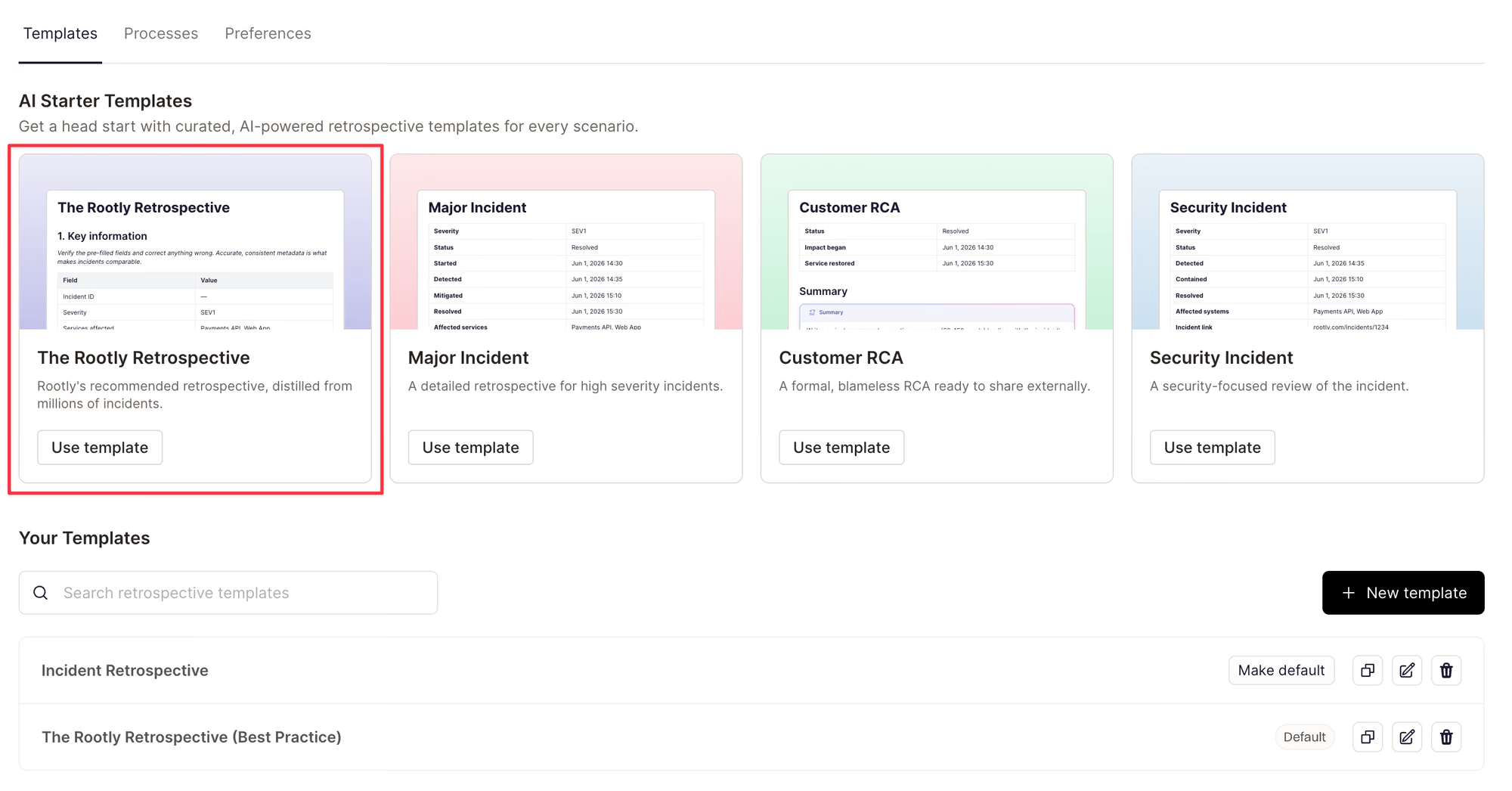
Use the Rootly Retrospective template to begin writing your retrospective documents in a tested and structured format.
Rootly writes the first draft
With AI retrospectives on, Rootly fills the template from the incident record, the Slack or Microsoft Teams channel, and the bridge call transcript. Drafts are blameless. They refer to roles instead of names, and they don’t invent facts, times, or owners. Comment on the draft with your team and tell Rootly what to change until it reads right.
Writing it yourselves? The non-AI version still fills key information, follow-up actions, and the timeline straight from incident data.
Rootly also suggests follow-up actions grounded in the incident. It lists them separately from the actions responders already committed to, so nobody mistakes a suggestion for a promise.
Four new AI blocks
What happened, Contributing factors, Learnings, and Follow-up actions are now AI blocks, and Impact got an update. They work in the template builder and the document editor. Add them to the templates you already use, mix them with your own sections, and keep your process.
Your existing defaults, templates, and retrospectives don’t change. When AI retrospectives are on, the Rootly Retrospective Template shows up first in the list.
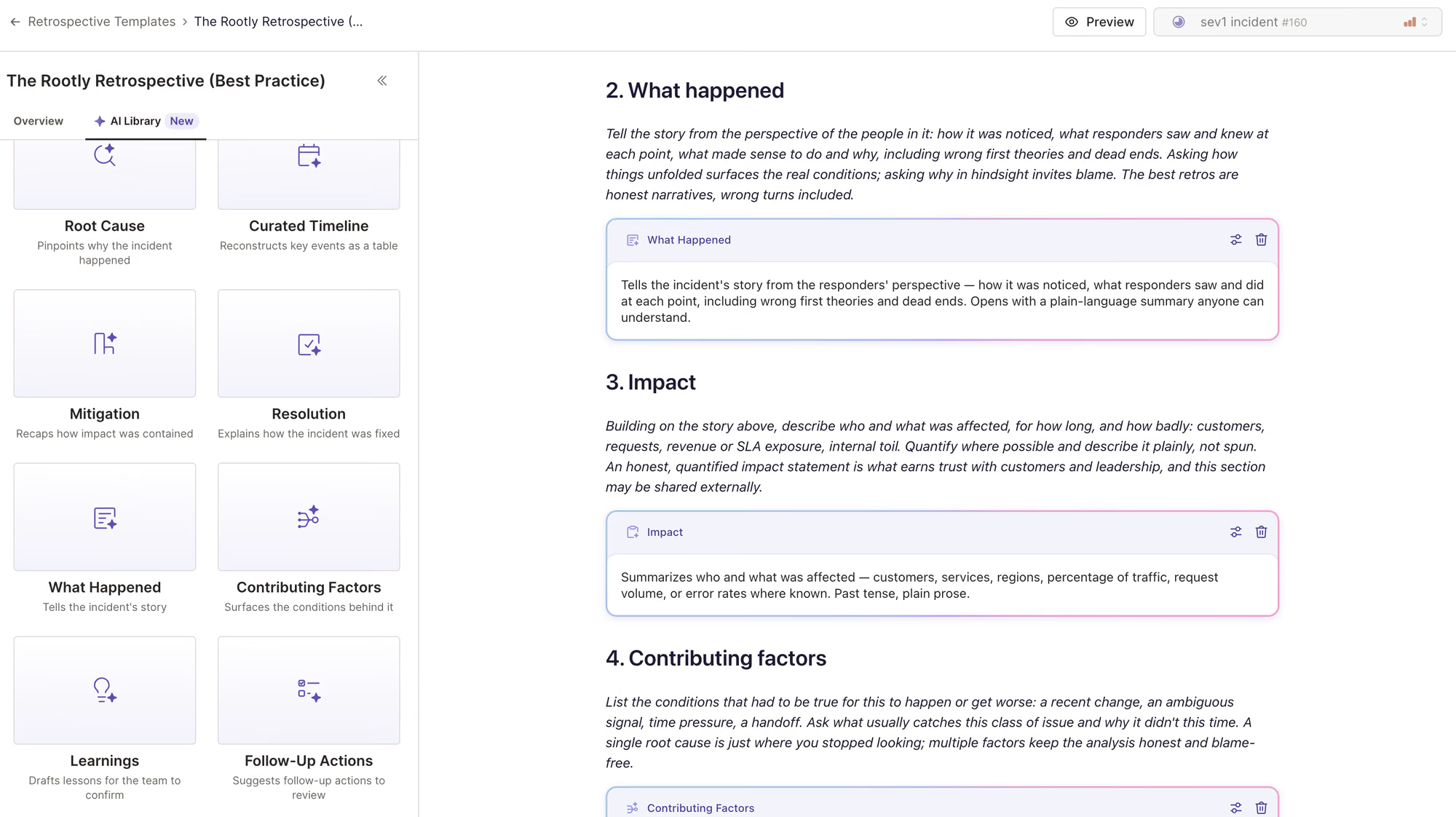
Use AI blocks to generate sections of your retrospective document.
What’s included
- The seven-section Rootly Retrospective Template, in AI and non-AI versions.
- Help text on every section, plus a short preamble explaining the structure.
- Key information, follow-up actions, and the timeline filled in from incident data, with or without AI.
- Four new AI blocks (What happened, Contributing factors, Learnings, and Follow-up actions) and an updated Impact block, available in the template builder and document editor.
- Blameless AI drafts that use roles instead of names and never invent facts, times, or owners.
- Suggested follow-up actions grounded in the incident, listed separately from the actions your responders already committed to.
- The Rootly Retrospective Template pinned first in the template list when AI retrospectives are on. Your existing defaults, templates, and retrospectives stay as they are.
Open your retrospective templates to start with the Rootly Retrospective Template, or duplicate it to build your own. Learn more about building Retrospective Templates, as well as Retrospective best practices in our guide.
What else shipped
Improvements
On-Call
- Incident actions are now hidden for organizations that don’t use Incident Response.
- Scoped PagerDuty imports now bring over only the schedules your selected escalation policies use.
Incident Response
- Rootly now warns you before linking a SCIM group removes members from a team.
- Password-protected status pages now offer RSS and Atom feeds through a private feed link.
- You can now turn on announcements for maintenance events in your Slack integration settings.
- Cancelling a maintenance incident now asks for a cancellation reason.
API & CLI
On-Call
- Changing an alert’s environments through the API now updates its
updated_attime. - The shifts API
user_ids[]filter now includes schedules where the user only covers gap shifts.
Incident Response
- Creating a
send_microsoft_teams_blocksworkflow task through the API no longer returns a 500, and Teams attachment tasks now read back their settings. - The playbooks API now returns each playbook’s instructions.
Terraform
rootly_schedulenow supports “Page only during specific hours” for shadow shifts.alert_broadcast_channelandalert_broadcast_enabledcan now be unset onrootly_serviceandrootly_teamby removing them from your config.rootly_escalation_pathandrootly_alert_urgencynow supportretrigger_timeout_minutes.
Fixes
On-Call
- The API key dialog no longer offers the On-Call Observer role when your organization has no observer seats.
- The alert fields payload preview now shows lists of plain values correctly.
Incident Response
- Cancelling or resolving a sub-incident no longer changes its parent’s status.
- Editing a completed retrospective no longer moves it back to In Progress.
- Resolved retrospective comments now appear in the Resolved tab.
- Retrospective exports now keep H1, H2, and H3 heading levels.
- The Convert Maintenance form now marks conditionally required fields as required.
- SAML login from Keycloak now fills in first and last name.
- Microsoft sign-in now works for accounts without a mailbox.
- Linear errors now show their message in a workflow run’s logs.
Related changelogs

Retrospective templates with customizable AI-blocks.
AI blocks turn incident data, Slack, and call transcripts into a quality first draft, with every prompt and source in view.

Collaborative Retrospectives, directly in Rootly.
Close the loop from incident response to prevention with AI and real-time collaboration.
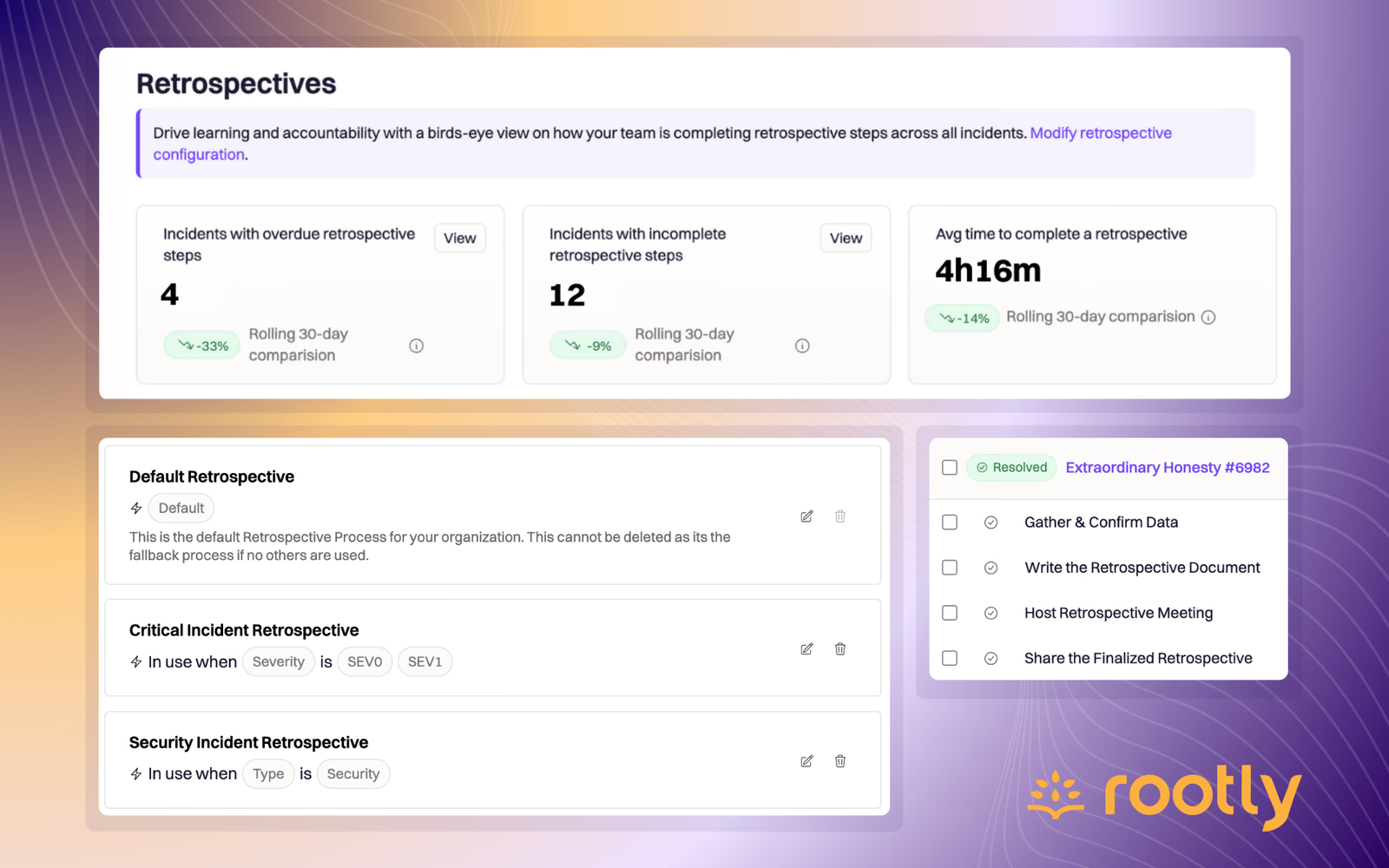
🪄 Rootly Retrospectives
Rootly Retrospectives are configurable, customizable processes that allow you to define right-sized retrospectives based on severity, type, or teams involved in an incident.