

To measure MTTR accurately, pick one meaning of the R (usually resolve), define its start and stop timestamps, and record them on every incident. Report it per severity, exclude duplicates and false positives, count reopened incidents once, and publish the median and 90th percentile next to the mean, since one long outage can double an average.
Incident response metrics show where response slows down: detection, acknowledgement, mitigation or the fix itself. This guide gives the formula for each one, a worked example of mean against median, the practices that keep MTTR honest, and the security incident metrics that use the same timestamps.
Understanding Incident Response Metrics
Incident response metrics, also called incident management metrics, are time and volume measures taken from the incident record. Most of them are intervals between two timestamps, averaged across incidents, which is why the family is often written MTTx (mean time to x).
- Metrics are the raw measures, such as the minutes between an alert and an acknowledgement.
- KPIs are the metrics you set targets for, such as median SEV1 time to mitigate.
- SLAs are contractual promises on availability or response time. SLOs are the internal targets that keep you inside them.
The numbers are only as good as the timestamps behind them. A clear incident lifecycle, with a defined event for each stage, matters more than any dashboard.
The four meanings of the R in MTTR
MTTR is one acronym for four different measurements. Each one starts and stops at a different event, so the same incident produces a different number under each.
| MTTR meaning | Clock starts | Clock stops | What it tells you |
|---|---|---|---|
| Mean time to repair | Repair work begins | The fix is in place and tested | How long the hands-on fix takes once someone is working on it |
| Mean time to recovery | The failure begins | Service is restored for users | How long users were affected. DORA’s failed deployment recovery time is this kind of measure, scoped to deployments |
| Mean time to resolve | The failure begins | The underlying issue is fixed and the incident is resolved | The full incident, including any time spent after a workaround restored service |
| Mean time to respond | The alert fires | A responder starts working on it | How fast the response starts. Often overlaps with MTTA |
Teams must pick one because the gap between them is large. An incident mitigated by a rollback in 20 minutes and resolved by a code fix the next afternoon has a recovery time of 20 minutes and a resolve time of more than a day. If one team reports recovery and another reports resolve, their MTTRs can’t be compared, and a trend line that switches definitions shows a change that never happened.
For most engineering teams, mean time to resolve is the right default for MTTR, measured from when impact began. Track recovery separately as mean time to mitigate (MTTM), covered below.
MTTD, MTTA, MTTM and MTTR formulas
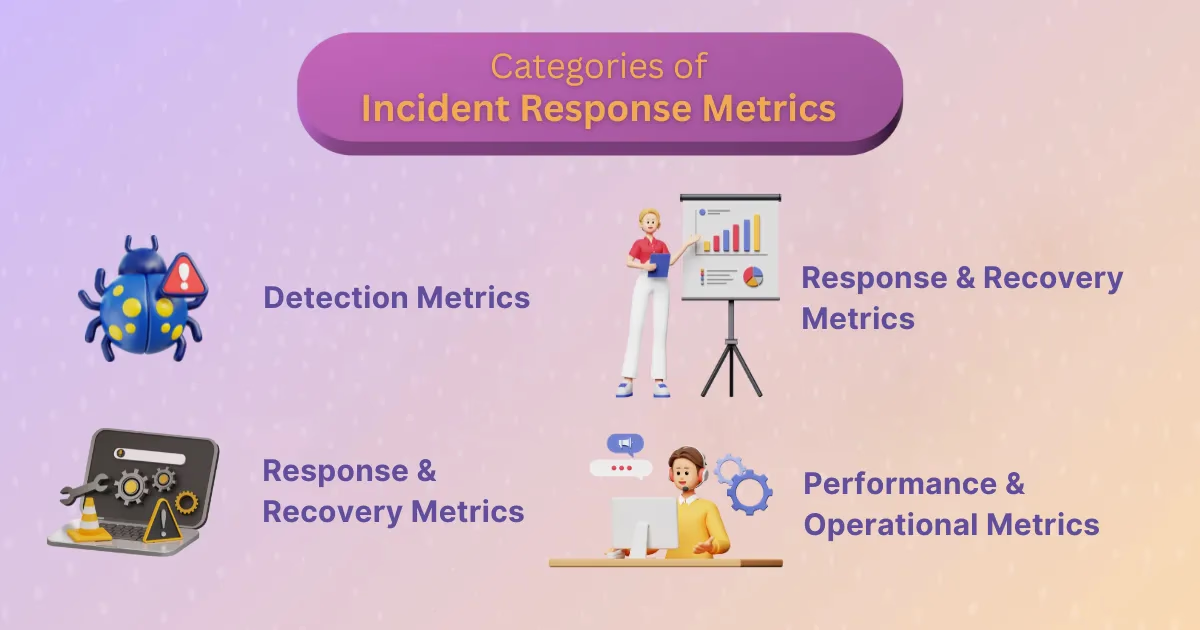
Each metric is the average of one interval across incidents in a period. Record both timestamps on every incident, in UTC, or the formula has nothing to work with.
| Metric | Start timestamp | Stop timestamp | Formula |
|---|---|---|---|
| MTTD (mean time to detect) | Impact begins | The issue is detected by an alert or a report | Sum of (detected − impact start) ÷ number of incidents |
| MTTA (mean time to acknowledge) | The alert fires or the page is sent | A responder acknowledges | Sum of (acknowledged − alerted) ÷ number of incidents |
| MTTM (mean time to mitigate) | Impact begins | Impact is contained, for example by a rollback or failover | Sum of (mitigated − impact start) ÷ number of incidents |
| MTTR (mean time to resolve) | Impact begins | The underlying issue is fixed | Sum of (resolved − impact start) ÷ number of incidents |
Because MTTR starts at impact, it contains detection, acknowledgement and mitigation. When MTTR rises, compare the other three to find the stage that grew.
Mean Time to Detect (MTTD)
Mean time to detect, also called mean time to detection, is the average time between when impact began and when the team knew about it. It reflects monitoring coverage: a slow MTTD usually means a missing alert, a threshold set too loose, or an issue that customers report before any monitor fires. Impact start is often only known after the fact, so set it during the incident review from logs and graphs, not from when the incident was declared.
Mean Time to Acknowledge (MTTA)
Mean time to acknowledge is the average time between an alert or page and a responder accepting it. A rising MTTA points at on-call problems: notifications that don’t reach people, escalation policies with long delays, or alert fatigue. Treat MTTA as a health signal for the paging setup. Setting it as a target for individuals mostly teaches people to acknowledge fast and start work later.
Mean Time to Mitigate (MTTM)
Mean time to mitigate is the average time from when impact began to when it stopped growing or stopped entirely, even if the root cause is still there. It is the closest measure of what users felt, and the one to watch for customer-facing services. A rollback, a feature flag or a failover usually ends this interval.
Mean Time to Resolve (MTTR)
Mean time to resolve is the average time from when impact began to when the underlying issue was fixed. It covers the whole incident and links most directly to SLA exposure. On its own it doesn’t say which stage is slow, so read it next to MTTD, MTTA and MTTM, and see five ways to reduce MTTR for what to change once you know.
Worked example: mean vs median MTTR
Here are five incidents from one month, with the time each took from impact start to resolution.
| Incident | Severity | Impact start (UTC) | Resolved (UTC) | Time to resolve |
|---|---|---|---|---|
| INC-101 | SEV2 | 09:02 | 09:20 | 18 min |
| INC-102 | SEV3 | 13:40 | 14:05 | 25 min |
| INC-103 | SEV2 | 02:11 | 02:43 | 32 min |
| INC-104 | SEV3 | 16:15 | 16:56 | 41 min |
| INC-105 | SEV1 | 22:30 | 03:20 next day | 290 min |
- Mean: (18 + 25 + 32 + 41 + 290) ÷ 5 = 81.2 minutes
- Median: the middle value when sorted = 32 minutes
- Mean without INC-105: (18 + 25 + 32 + 41) ÷ 4 = 29 minutes
Four of the five incidents were resolved in under 45 minutes, yet the mean says 81. One SEV1 almost triples the average. Next month, if that SEV1 doesn’t recur, the mean drops by more than half and looks like a large improvement even though nothing about the response changed.
The median is more honest because it describes a typical incident and moves only when most incidents get faster or slower. Pair it with the 90th percentile (P90), the value 90% of incidents beat, so the long tail stays visible. P90 needs enough incidents to mean something: with five, it is simply the slowest one, so read it over a quarter rather than a month. Report SEV1 separately, because one SEV1 and four SEV3s in the same average describe neither.
How to measure MTTR accurately
- Write down the definition. Name the R, the start event and the stop event, and put that sentence on the dashboard. Change it only with a note on the trend line.
- Report per severity. Calculate MTTR separately for each severity level. SEV1s are rare and long, SEV4s are common and short, and a blended average moves whenever the mix changes.
- Exclude merged duplicates and false positives. When three people declare the same outage, keep one record and mark the others as duplicates. Counting all three adds two short, fake incidents that pull MTTR down. Remove test incidents and false alarms the same way.
- Handle reopened incidents consistently. When an issue returns after being resolved, decide whether it reopens the original incident or becomes a new one. Reopening keeps one record, but check what your tool does to the start time: some overwrite it with the reopen time, so the full duration has to come from the original start in the timeline. Whichever rule you choose, apply it every time and track how often incidents reopen as its own metric.
- Use the median and P90 next to the mean. The mean is useful for total downtime. The median and P90 are better for judging whether response is getting faster.
- Separate mitigation from resolution. Record a mitigation timestamp whenever impact stops before the fix lands. Without it, a 10-minute rollback followed by a two-day fix reads as a two-day incident, and you can’t tell fast recovery from slow repair.
- Store timestamps in UTC with an offset. Timestamps typed in by hand during a review are often entered in local time. One entered in the wrong zone shifts an interval by hours, and daylight saving changes add or remove an hour from incidents that span the switch.
- Watch for paging delays. MTTA measured from page delivery hides the time between the alert firing and the page going out. Start MTTA at the alert, and check escalation delays and notification reachability when it rises.
- Set impact start from evidence. Many incidents are declared after impact began. Backfill the start time from monitoring data during the review, or MTTD and MTTR will both look shorter than what users experienced.
- Look at enough incidents. A team with six incidents a month will see MTTR swing by large amounts from chance alone. Read trends over a quarter and show the incident count next to every average.
Timeline data feeds all of this. A complete incident timeline is what lets you set start, mitigation and resolution times from evidence instead of memory.
Related metrics to track alongside MTTR
MTTR shows how long incidents last. These metrics show how often they happen, where they come from, and whether the response load is sustainable. Together they answer the question SRE teams ask after an incident: what should we track?
| Metric | What it measures | Formula | Use it to |
|---|---|---|---|
| MTBF (mean time between failures) | How often a service fails | Total operating time ÷ number of failures | Find components that fail often and justify investment in them |
| MTTF (mean time to failure) | Expected time before a non-repairable part fails | Total operating time ÷ number of units that failed | Plan replacement for hardware and parts you replace rather than repair |
| Change failure rate | Share of deployments that need immediate intervention | Failed deployments ÷ total deployments | Tell deployment problems apart from runtime problems. DORA calls it change fail rate |
| Time to assemble responders (AIRT) | How long it takes to get the incident to the person who can fix it | Sum of (right responder engaged − impact start) ÷ number of incidents | Find routing and ownership gaps that inflate MTTR |
| Incident count by service | Where incidents come from | Incidents grouped by affected service in a period | Direct reliability work at the services that cause the most incidents |
| Alert-to-incident ratio | How many alerts turn into real incidents | Incidents ÷ alerts | Find noisy alert sources that page people for nothing |
| Reopen rate | Share of resolved incidents that return | Reopened incidents ÷ resolved incidents | Catch fixes that only treated symptoms |
| SLO compliance and availability | Whether the service met its target | Good events ÷ total events, or uptime ÷ total time | Connect incident time to user impact and SLA exposure. See from MTTR to SLOs |
Metrics that mislead on their own
- Incident count over time. A rising count can reflect a team that declares incidents more readily, so read it by service and severity, next to MTTR.
- MTTA as a target. It is easy to game: responders acknowledge quickly whether or not they start work. Use it to check the paging setup.
- On-call hours. Useful for workload and pay, but it says little about reliability. Pair it with pages per shift and out-of-hours pages.
Security incident metrics
In cybersecurity, teams use the same timestamps with different stop events, and the R in MTTR usually means respond or remediate. The definitions below follow the same rule as the rest of this guide: name the start and stop event for each.
| Metric | Clock starts | Clock stops | Why it matters in security |
|---|---|---|---|
| MTTD (mean time to detect) | Malicious activity begins | The activity is detected | Shorter detection limits what an attacker can reach |
| MTTI (mean time to identify) | An alert fires | The alert is confirmed as a real incident and scoped | Shows how long triage takes in the security operations center |
| MTTC (mean time to contain) | The incident is detected | The threat can no longer spread | Measures how quickly hosts are isolated, credentials revoked or traffic blocked |
| MTTR (mean time to respond or remediate) | The incident is detected | The threat is removed and systems are restored | Covers eradication and recovery after containment |
| Dwell time | Initial compromise | Detection | The window an attacker had before anyone knew |
| MTBF for security incidents | One security incident ends | The next one begins | Shows whether controls are reducing repeat incidents of the same class |
Mean Time to Contain (MTTC)
Mean time to contain is the security equivalent of mean time to mitigate. A ransomware infection that spreads across endpoints before isolation produces a long MTTC, and isolating a single compromised laptop within minutes produces a short one. Pre-approved containment steps in playbooks, such as endpoint isolation and credential revocation, shorten it most. Some teams start the MTTC clock at initial compromise instead of detection, which makes it include dwell time. Either works if it is written down.
Recovery time objective (RTO) and recovery point objective (RPO) are targets set in a continuity plan. Compare measured recovery time against the RTO for each critical system, and treat any incident that exceeds it as a finding for the review.
Measuring MTTR in Rootly
Rootly records the timestamps above on the incident itself and calculates MTTx metrics from them. Here is how each practice in this guide maps to documented features.
- Lifecycle timestamps. Each status change records a timestamp:
in_triage_at,started_at,mitigated_at,resolved_at,closed_atandcancelled_at.detected_atandacknowledged_atare separate fields that power MTTD and MTTA, set by hand or by a workflow. See Incident Lifecycle. - Documented formulas. Rootly measures each incident interval from
started_at. Time to resolution isresolved_atminusstarted_at, and time to mitigation and detection follow the same pattern. Rootly’s incident-level time to acknowledge isacknowledged_atminusstarted_at, which is not the alert-to-acknowledge MTTA defined above; for that one, use the alert-level MTTA on the On-Call Metrics dashboard. When an incident is declared after impact began, backfill the timestamps with Update Timestamps from the incident page or Slack so the intervals match the impact window. See Updating Incident Timestamps. - Mitigation kept separate. If an incident goes straight to Resolved, Rootly sets
mitigated_atequal toresolved_atso time-to-mitigate analytics still work. Mark the incident Mitigated when impact stops to keep recovery and resolution apart. - Default dashboards. The Incident Response dashboard ships with MTTD, MTTA, MTTM and MTTR panels and breakdowns by severity, environment, service and type. The On-Call Metrics dashboard covers alert-level MTTA, MTTR, MTBF and acknowledge rate. See Default Metrics and On-Call Metrics.
- Per-severity and per-service views. Custom panels support filters and Group By on severity, team, service and custom fields. Panel operations are Count, Average and Sum, so for the median and P90, export a table panel to CSV (exports include the full dataset) and calculate them there. See Customizing Dashboards.
- Duplicates excluded. Marking an incident as a duplicate links it to the primary incident and, by default, cancels it. Cancelled incidents are left out of incident metrics. See Marking Incidents as Duplicate.
- Reopened incidents. Resolved, Closed and Cancelled incidents can be reopened to Started, which keeps the original timeline and retrospective in one record. Reopening overwrites
started_atwith the reopen time; the originalstarted_at,mitigated_atandresolved_atstay in the incident’s timeline events. So after a reopen,resolved_atminusstarted_atcovers only the reopened stretch. For the full duration, take the original start from the timeline (the first change to Started, or the backfilled impact start) and measure to the finalresolved_at. See Incident Status.
Rootly’s analytics overview covers sharing dashboards and exporting them as PDF for reliability reviews. To compare incident tooling more broadly, see incident response tools.
Turning metrics into changes
A metric is worth tracking when it leads to a specific change. A slow MTTD points at monitoring. A slow MTTA points at paging and escalation. A large gap between MTTM and MTTR points at follow-up engineering work, and a service that tops the incident count points at where to invest. Review the numbers per severity each quarter, pick the stage that grew, and change one thing about it. At Rootly, the incident record that runs the response is the same record that feeds these metrics, so the numbers come from what actually happened.
Incident Response Metrics: MTTD, MTTR, MTTA and More
On this page
Frequently asked questions
What is the formula for MTTR?
MTTR is the sum of each incident's stop time minus its start time, divided by the number of incidents. For mean time to resolve, the start is when impact began and the stop is when the underlying issue was fixed. Five incidents that took 18, 25, 32, 41 and 290 minutes give an MTTR of 406 / 5 = 81.2 minutes.
What is the difference between MTTD, MTTA and MTTR?
They measure different stretches of one incident. MTTD (mean time to detect) runs from when impact began to when someone noticed. MTTA (mean time to acknowledge) runs from the alert or page to a responder accepting it. MTTR (mean time to resolve) runs from when impact began to when the underlying issue was fixed, so it contains both of the others.
Should MTTR use the mean or the median?
Report both, plus the 90th percentile. Incident durations are skewed: most incidents are short and a few run for hours, and the long ones drag the mean upward. The median shows a typical incident, the 90th percentile shows how bad the long tail gets, and the mean is still useful for estimating total downtime.
Does MTTR include time to detect?
It does when the clock starts at the moment impact began, which is the most common definition of mean time to resolve and recovery. If your clock starts when the incident is declared, detection time is excluded and MTTR will look shorter than what users experienced. Write down which start event you use and keep it fixed.
What is MTTC in cybersecurity?
MTTC is mean time to contain: the average time from detecting a security incident to stopping it from spreading, for example by isolating a host, revoking credentials or blocking traffic. Security teams pair it with mean time to identify and track dwell time, the period an attacker had access before detection.
What is a good MTTR?
There is no single good number, because MTTR depends on severity, service and how you define the R. Set a baseline per severity level from your own incidents, then track whether the median and 90th percentile fall quarter over quarter. Comparing your MTTR with another company's is only meaningful if both use the same start and stop events.
What does MTTx mean?
MTTx is shorthand for the family of mean-time incident metrics, where x stands for the stage being measured: detect (MTTD), acknowledge (MTTA), mitigate (MTTM), contain (MTTC) or resolve, recover, repair and respond (all written MTTR).