On-Call Paging in Microsoft Teams.
Rootly On-Call now pages responders, posts alerts, and lets them acknowledge, escalate, and resolve right in Microsoft Teams.
Rootly On-Call now works end to end in Microsoft Teams. Paired with Rootly’s incident response in Teams, organizations that run on Teams can now handle everything from the first page to the resolved incident in one place. Build escalation policies to page Teams channels, page directly in Teams, and acknowledge, escalate, and resolve alerts all without having to leave the app.
Rootly On-Call is built to get the right person paged every time. Now that coverage reaches where Teams organizations already spend their day.
Send alerts to a Teams channel
Add a Microsoft Teams channel as a target on any escalation policy level. When that level fires, Rootly will post the alert in the channel, alongside the level’s other targets. The channel gives the whole team visibility into the alert, while the level’s schedules and users still page the specific person who needs to respond. You can also set a default announcement channel, where Rootly will announce all new alerts in one place.
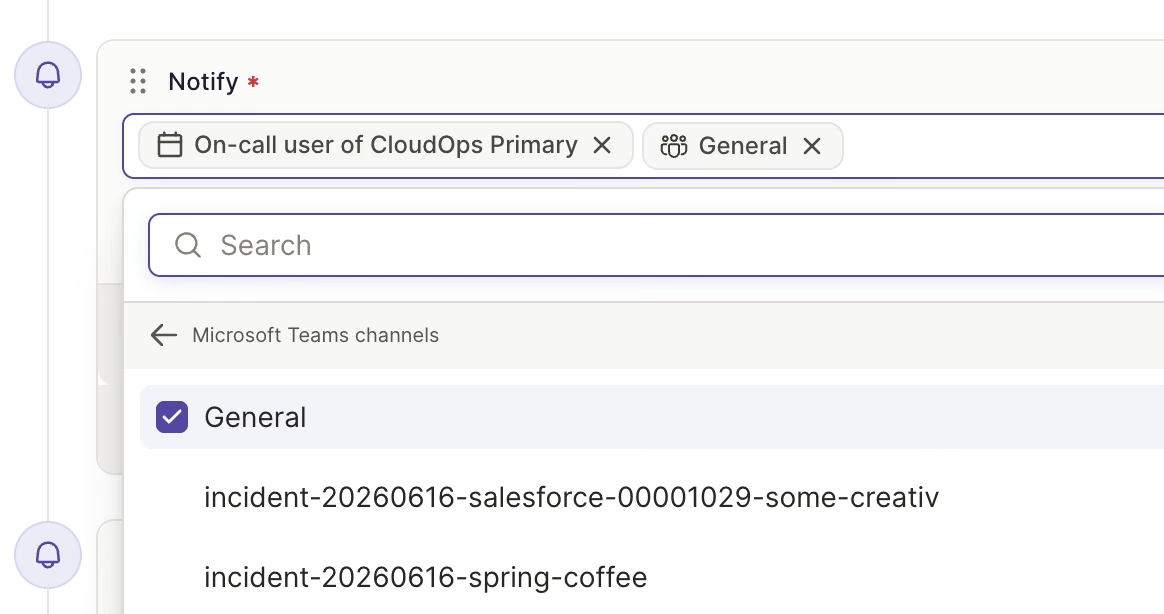
Add a Teams channel to any escalation policy level.
Respond from the alert card
Responders can Acknowledge, Escalate, Resolve, Mark as Noise, Snooze, or Create Incident directly from the card. Cards update in place across Teams, Slack, and the web, and every action is recorded on the alert timeline as coming from Microsoft Teams.
Page and be paged in Teams
Use the Rootly app’s Page command in any channel where it’s installed to page a team, service, functionality, escalation policy, or user. Responders can also add Microsoft Teams to their personal notification settings, so they can be paged through a direct message alongside SMS, phone calls, and push notifications.
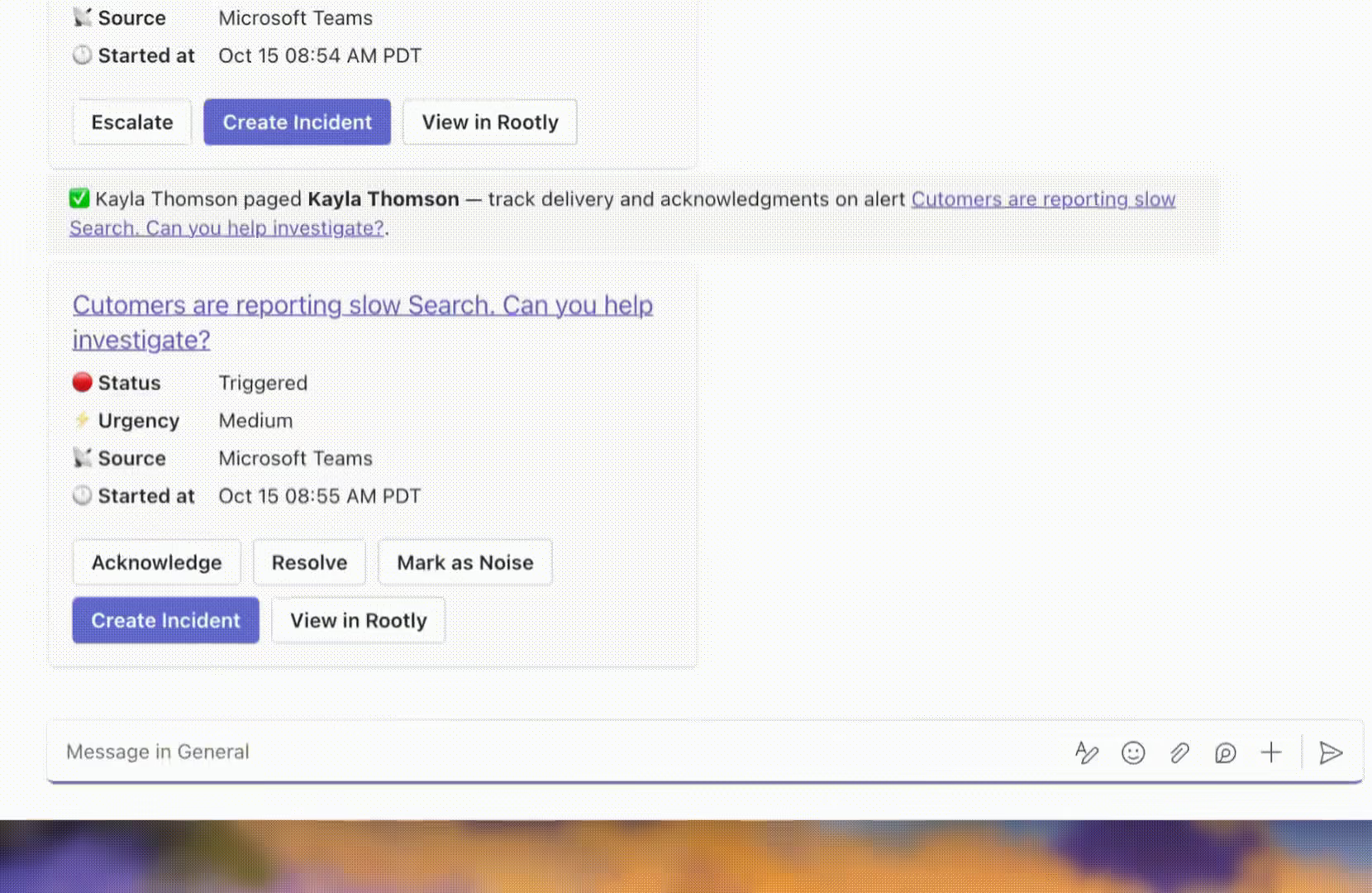
Page from any Teams channel where Rootly is installed. This kicks off the escalation policy, notifying the right people everytime.
What’s included
- Microsoft Teams channels as escalation policy targets, including private channels
- Acknowledge, escalate, resolve, mark as noise, snooze, and create incident from Teams alert cards
- Paging any Rootly target from a Teams channel
- Responders can receive pages from Rootly in Microsoft Teams
- Schedule updates in Teams channels: shift starts and updates, weekly on-call summaries, overrides, and coverage requests
- Personal shift reminders in your Teams chat with the Rootly bot
- A link to the incident’s Teams channel when an incident is created from an alert
Why it matters
Every app switch during a page costs time and context. Teams organizations previously had to leave their primary workspace to see and act on a page. Now the whole loop of being paged, acknowledging, escalating, and handing off to an incident stays in Teams.
To get started, connect the Microsoft Teams integration, install the Rootly bot in your teams, and add a Teams channel to an escalation policy. The Microsoft Teams docs walk through every step.
What else shipped
Improvements
Incident Response
- Dashboard field dropdowns now mark deleted custom fields, incident roles, and alert fields as “(deleted)”.
Mobile
- New shortcuts make it faster to request coverage for a shift from the mobile app.
API & CLI
Incident Response
GET /v1/workflow_groupsnow respectsfilter[...]parameters, which also fixes Terraformrootly_workflow_grouplookups.- Sending
nullfor external ID fields onPUT /v1/servicesandPUT /v1/functionalitiesno longer overwrites the stored values. - A hidden NUL character in a text field no longer causes a 500 error on several v1 endpoints.
Terraform
rootly_alert_routenow clears a condition’sproperty_field_namewhen you remove it from your config.rootly_alerts_sourceno longer shows a permanent diff onresolution_rule_attributes.identifier_matchable_type.
Fixes
On-Call
- The Title filter on the Alerts page no longer suggests values that return no alerts.
- Searching the Alerts filter picker now matches filter names and no longer matches values mid-word.
- Tooltips for team members on Round Robin paging no longer overlap.
- The read-only escalation policy drawer now lets you click schedule targets and hides the edit button from people who can’t edit.
Incident Response
- Long values in the Audit Log detail drawer are no longer cut off, so workflow failure messages are readable.
- Retrospective metrics on the Incident Response dashboard no longer count maintenance events.
- Email bodies keep their blank lines and paragraph breaks after you save.
- Status page RSS feeds stay valid when an update contains unusual characters.
- Incident Types set in the web declare form URL now pre-select correctly.
- Clearing a defaulted field in the Convert to Maintenance form now clears its “Shown When” rule too.
Mobile
- Creating an override from shift details now uses the new override screen.
- Opening Create Override from the menu no longer defaults to a coverage request.
- The request coverage shortcut is no longer too narrow.
- Long user names no longer crowd the button next to them.
Related changelogs
The on-call widget, 24-hour time, and a new Alerts table.
Three new features for responders: 24-hour time, a live on-call widget in the sidebar, and a customizable Alerts table.

Pay calculator for global teams.
The On-Call Pay Calculator now supports global teams: run pay reports in any timezone or per user, filter by team and schedule, and export the results.

Paging based on Functionalities.
Page by what's broken: once a Functionality has an escalation policy, you can page it from the manual paging modal on web, Slack, and mobile.