
Write it down, replay it, ship it: why we build ERDs to build product
How Rootly wrote its proactive incident agent ERD as an interactive page with replay buttons, a clickable Slack approval card and a code map for reviewers.

Write it down, replay it, ship it: why we build ERDs to build product
On this page
Our ERD is a web page you can click, replay and check against the code
An engineering requirements document (ERD) is where we write down what a system has to do before we build it. The ERD for our proactive incident agent is a single web page you work through. It has replay buttons that play back how information moves through the system, a Slack approval card you can click, and a code map for every stage. The footer says which day of main it was written from.
This post is about that ERD: what it’s for, and why it does a reviewer’s job better than prose ever has for us. If you review designs for systems that act on a timer, act on behalf of people, or fail quietly, you’ll want one like it.

Written design docs hide the parts reviewers most need to see
The agent this ERD documents joins incident channels on its own, decides whether one message would help, and otherwise stays quiet. Most of what matters is timing and state: why it stays silent at one moment, when an approval expires, why a message gets held back because the incident moved on. Those are the behaviors reviewers argue about, and paragraphs explain them badly.
A written design doc lets a reviewer down in four places:
- Timing. “Runs every five minutes” doesn’t show what happens when two triggers land in the same window, or when a job runs late.
- State. A bulleted list of states hides the transitions, and the transitions are where the bugs live.
- Decision boundaries. “Replies when a question goes unanswered” doesn’t show the case where someone answered with a thumbs-up emoji.
- Drift. The doc describes the design as approved, and the code keeps moving. Three months later, nobody trusts the numbers in it.
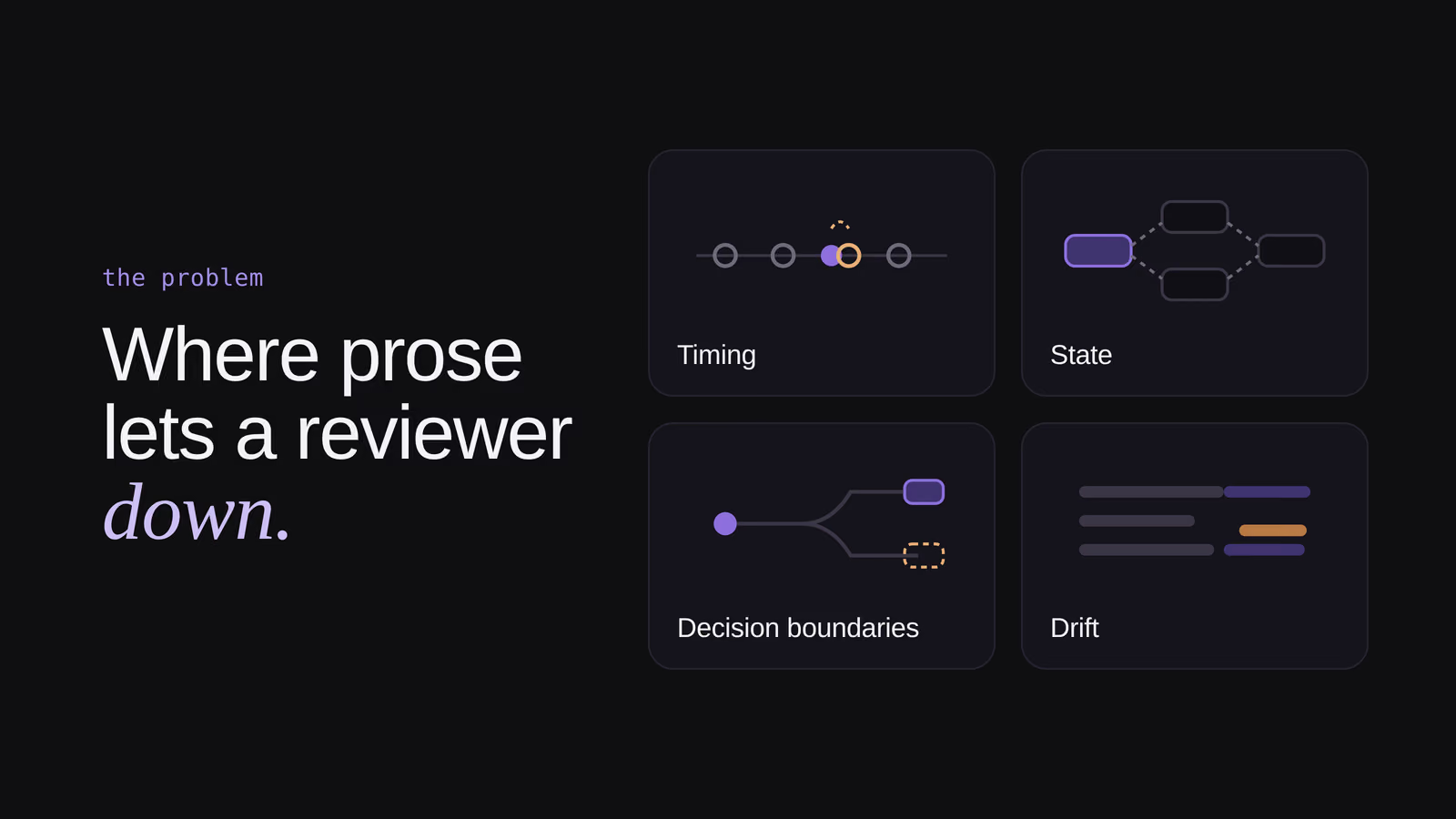
The usual fix is a longer doc. We built a page instead, where each of those four gets its own interactive section and every number is pinned to the code.
It follows one request from start to finish
The ERD opens with one question in a sample incident channel. A responder asks whether a rollback is still waiting on approval, nobody answers, and a few minutes later the agent replies in the thread. The overview then follows that single question through every stage of the system, in order. Click a stage and the page jumps to the section that explains it.
One concrete request gives a reviewer something to hold onto while the stages arrive one at a time. It’s the difference between reading a map and watching someone walk the route.
Plain language first, with the code beside it
Each stage gets a plain-language description, and a box beside it names the code involved. A reviewer who doesn’t read Ruby still gets the whole story. A reviewer who does can open the file and check the sentence against it.
The page ends with a code map, so every stage in the story has an entry point in the codebase. Product, support and engineering read the same page and take away the level of detail they need.
Replay buttons play back how information flows
The replay buttons don’t add anything the page doesn’t already say. They play it back in motion, so you watch information move through the system instead of assembling it from paragraphs.
The timing replay runs 40 minutes of one sample incident in a few seconds, with human messages, the agent’s messages and each background job marked on a timeline. At minute 25 a check finds nothing new, because the agent never reads its own messages back as evidence. You see the gap on the timeline before you read the rule under it.
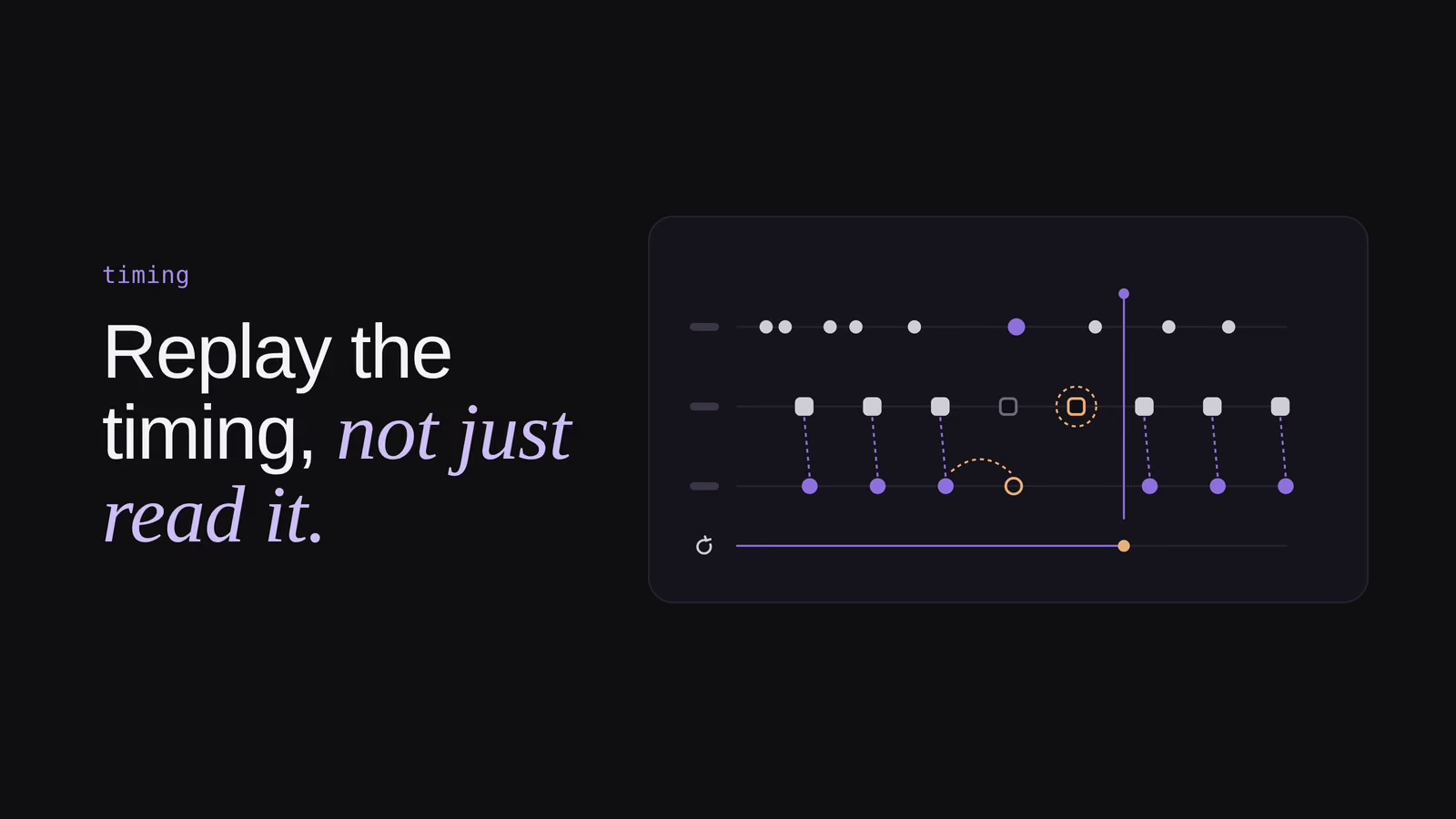
The scenario replays do the same for decisions. Pick a scenario and the page runs the same moment twice, once with a question still open and once after someone answered it, so you can see which input changed the outcome. Another replay then walks that outcome through the checks that run before anything is posted, and shows you where a message stops.
Every section answers a question a reviewer would ask
The approval section shows this best. When someone promises follow-up work in the channel, the agent can propose an action item as a Slack card, and nothing is written until a person accepts.
The ERD embeds that card, and it’s interactive. Click Accept or Dismiss, or use two extra buttons that aren’t in Slack, “A day passes” and “Marco edits his message,” to simulate what happens around the card. A strip of six states lights up as you go.
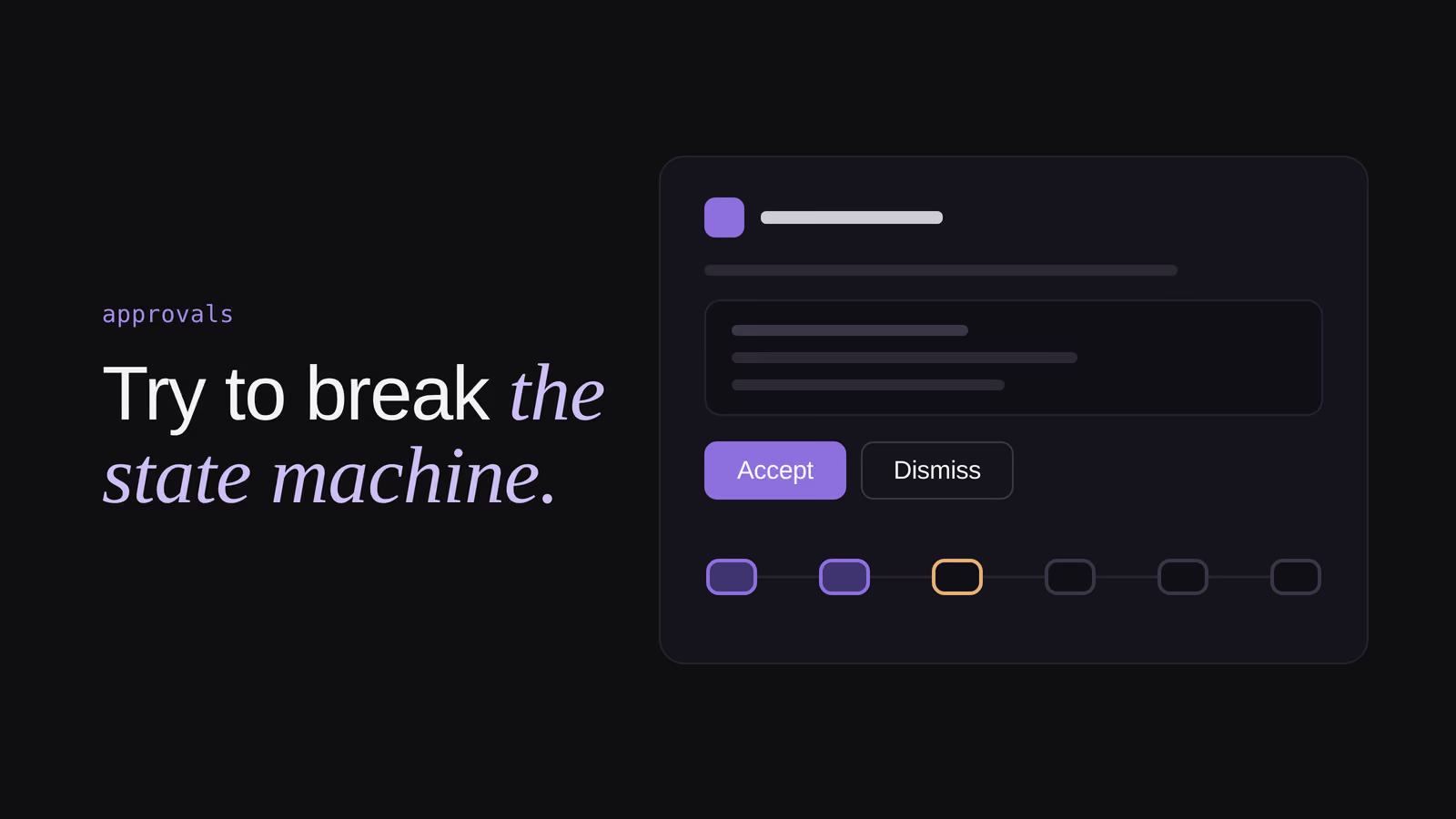
Try the edges and the page answers the questions a reviewer would otherwise put to the author:
- Click Accept twice. The write still happens exactly once.
- Edit the source message. The card is withdrawn, because the messages behind it changed.
- Let a day pass. The card expires.
- Accept without permission. You get a private note, and the card stays open for someone who has it.
A written doc would list those rules. This one lets you try to break them.
Every number is pinned to the code on main
The footer makes a promise that the limits, intervals and windows on the page are the values in code. The header adds the date of main the doc reflects. So when the page says the agent looks again no sooner than 5 minutes and no later than 60, that’s what the code does, and if it looks wrong the argument moves to a code review.
Anything built on example data says so. The chart of where decisions stop is labelled “illustrative, not measured volumes,” so a reader always knows a real number from a picture of one.
It writes down what usually lives in someone’s head
The last third of the ERD answers the questions that usually get settled in a hallway, like who can change what, how we know it’s working, and what it will never do. There’s a permissions matrix, one card for each question about measuring it, and a short list of boundaries.
It ends with a known gap with examples like “in this version emoji reactions aren’t read, so a thumbs-up that answers a question goes unseen”. That line is one of our favorite parts of the doc. Writing down a known gap is how it gets fixed and ships in the first release.
What an interactive ERD costs us
It isn’t free.
The replays are a second implementation. The approval card on the page is JavaScript, not the Ruby that runs in production. Pinning to main keeps the numbers honest, but behavior can drift, and a replay that has drifted from the code is worse than no replay because it looks authoritative. The next step is to drive the page’s scenarios from the same test cases the code uses, so the two can’t disagree.
It’s harder to review as a diff. The ERD is one HTML file of about 120 KB. Markdown lines change cleanly in a pull request. A reworked replay doesn’t.
Example pictures still persuade. The labels help, but readers remember the shape of a chart more than its caption.
Write it down, replay it, then ship it
A reviewer should be able to replay the timing, try to break the approval flow, and trace every stage to a file, all without asking the author. Engineers review the page, and everyone else who ships the feature, from product to support to marketing, learns from the same page.
This ERD clears that bar, and it has a date on it. The next person to change the agent inherits a doc they can check against the code on main, instead of one they have to take on faith.
Related articles
Prototyping with design playgrounds
Why Rootly builds small standalone design playgrounds to test new components like forms, so teams decide from real interactions rather than opinions.

Replay, don't rebuild: adding week-long deferrals to a pipeline that handles millions of alerts
On extending a high-volume production pipeline instead of building alongside it, and the edge cases that only appear at the intersection of correct decisions

How we used CRDTs to build Real-Time Collaborative Retrospectives
A dive into how we built collaborative software with real-time features, AI assistance, and workflow automation with Y.js CRDTs).