🤝 Partial Shift Overrides in Rootly On-Call
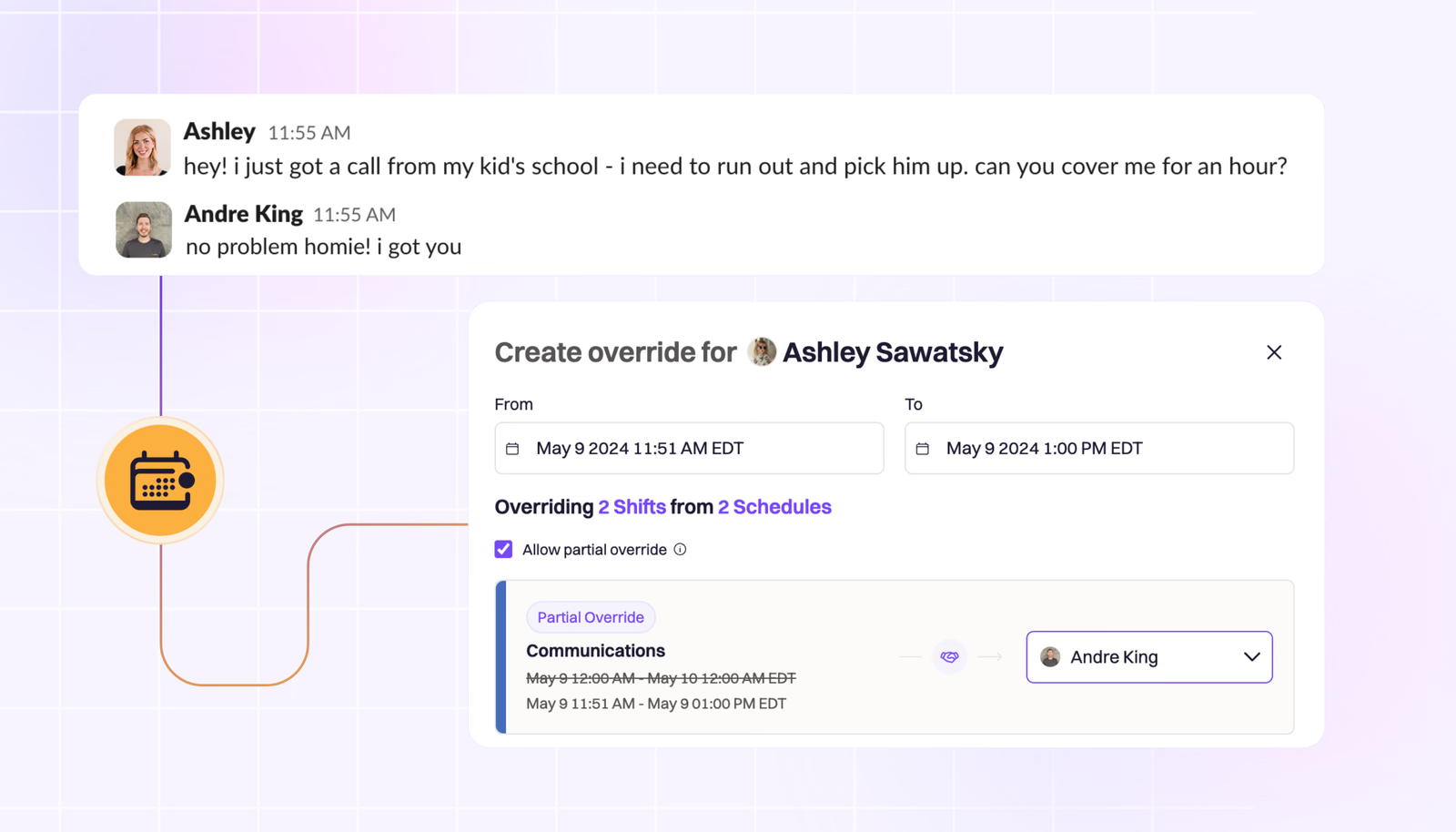
With Rootly On-Call, you can set up overrides for any period of time, for any or all of your on-call shifts, with a couple clicks. Just head to On-Call Shifts, click “Create Override”, specify the time frame, and assign another teammate.
On this page
🤝 Partial Shift Overrides in Rootly On-Call
Life happens, even when you’re on call. Whether it’s an unexpected school pickup, a much-needed screen break, or anything else the day throws at you, we’ve made it easy to take the time you need without saying a silent prayer to the reliability gods that you won’t get paged. Legacy solutions make you override your entire shift, then revert the override when you’re ready to hop back in. With Rootly On-Call, you can set up overrides for any period of time, for any or all of your on-call shifts, with a couple clicks. Just head to On-Call Shifts, click “Create Override”, specify the time frame, and assign another teammate.
Easy as that!
What else shipped
🆕 RBAC introduced for Rootly On-Call. Now teams can grant edit permissions to only team leads/managers. 💅 Improved interface to view multiple on-call schedules on a single view. 💅 On-call schedules can no longer be deleted until it’s been removed from all escalation policies. 🐛 Fixed pre-selection of default template on incident retrospectives page. 🐛 Fixed poor display of incident summary, caused by failure to account for HTML tags.
Related changelogs

On-Call Paging in Microsoft Teams.
Rootly On-Call now pages responders, posts alerts, and lets them acknowledge, escalate, and resolve right in Microsoft Teams.

The on-call widget, 24-hour time, and a new Alerts table.
Three new features for responders: 24-hour time, a live on-call widget in the sidebar, and a customizable Alerts table.

Pay calculator for global teams.
Calculate on-call pay for teams anywhere in the world, in one place.