

Alert fatigue has become one of the most pressing challenges facing engineering teams today. When on-call shifts routinely interrupt evenings, disrupt sleep, and fracture the ability to focus, the constant stream of notifications begins to wear people down. After enough low-value or poorly configured alerts, responders naturally become desensitized, not because they are careless but because their attention is being stretched past its limit. This is the moment real risks appear. The alert that gets ignored may be the one that signals a genuine problem.
The rise of alert fatigue is no coincidence. Modern systems generate signals from every direction. Monitoring tools overlap, thresholds are set too tightly, and alert rules are rarely revisited as infrastructure evolves. As new dashboards, integrations, and services are added, the amount of incoming information grows but the clarity does not. Teams end up reacting to everything, which means they trust very little. What should act as a safety net instead becomes a source of stress, confusion, and missed opportunities.
Reducing noise and protecting on-call engineers requires a smarter alerting strategy that filters unnecessary signals, enriches alerts with meaningful context, and ensures only the most important issues reach the right responder. Protecting on-call teams begins with cutting down the volume of low-value notifications and ends with creating an environment where every alert is trustworthy, actionable, and aligned with real operational priorities. By elevating only what matters, teams can safeguard their focus, maintain system reliability, and restore confidence in their alerting ecosystem.
What is alert fatigue
Alert fatigue is a cognitive overload response that occurs when engineers are exposed to an excessive volume of alerts, noisy notifications, or ambiguous signals. When the stream of information surpasses a responder’s ability to interpret it, attention declines, reaction times slow, and critical issues become harder to recognize. Instead of helping teams catch emerging problems, the alerting system becomes a source of interruption and stress.
Alert fatigue can set in remarkably fast, sometimes within a single on-call shift. While burnout develops gradually over longer periods of sustained pressure, alert fatigue emerges from the immediate strain of responding to redundant or low-value alerts. Even a short burst of unnecessary notifications can drain focus and reduce a responder’s ability to make clear and timely decisions, which makes it particularly dangerous in high-stakes operational environments.
It is also important to distinguish alert fatigue from incident fatigue. Alert fatigue stems from the overwhelming quantity and inconsistency of incoming signals, often appearing before an incident has even begun. Incident fatigue results from handling too many real incidents, extended remediation efforts, or prolonged crisis periods. One is driven by noise while the other is driven by sustained operational demand. Understanding the difference helps teams diagnose the right problem and apply the most effective solutions.
The real cost of alert fatigue
Alert fatigue reaches far beyond momentary frustration. It undermines operational performance, strains the people responsible for reliability, and creates business risks that accumulate quietly until they cause real damage. When responders are overwhelmed by noise, every part of the incident response process becomes less effective.
Operational risks
Noise-heavy environments make it far more likely that critical signals will be overlooked. Major failures at companies like GitHub and Delta illustrate how easily important alerts can be missed when teams are conditioned to expect false alarms. Desensitized responders often hesitate, delay action, or wait to see if an issue resolves on its own, which slows response times and increases MTTR during incidents that require immediate attention.
Human impact
Constant interruptions take a measurable toll on the people handling on-call responsibilities. Engineers lose sleep, experience repeated disruptions during personal time, and operate under continuous cognitive strain. These pressures accumulate into burnout, disengagement, and rising turnover. Research shows that professionals exposed to excessive alert volume frequently take time off due to work-related mental health challenges.
Business and financial impact
High alert volumes also create significant organizational costs. Many teams receive far more alerts than they can reasonably investigate, and false positives alone consume hours of analyst time every week. When real issues are missed or addressed too late because they were buried under noise, outages become longer and breaches more expensive. Over time, persistent noise weakens trust in monitoring systems and reduces confidence in the alerts that are meant to protect the business.
Why alert fatigue happens
Alert fatigue develops when technical issues and human factors collide, creating an environment where responders are overwhelmed with signals that lack clarity or relevance. As systems grow more complex and monitoring tools multiply, these problems intensify and make it harder for teams to identify what truly matters.
Excessive false positives and sensitive thresholds
Many organizations unintentionally generate noise through alert rules that are too reactive or poorly tuned. Common contributors include:
- Static thresholds that trigger on minor or expected fluctuations
- Monitors that are configured too aggressively or without clear intent
- Baselines that fail to reflect real-world traffic patterns or system behavior
These conditions create frequent, low-value alerts that compete for attention and reduce trust in the monitoring system.
Duplicate and redundant alerts across tools
Tool sprawl magnifies alert volume by sending multiple signals for the same underlying issue. Noise often comes from:
- APM tools firing simultaneously with log aggregators
- Synthetic monitoring duplicating alerts already captured elsewhere
- Customer support systems flagging symptoms that other tools have already reported
Instead of clarity, responders face overlapping alerts that obscure the real root cause.
Lack of context in alerts
When alerts lack the information needed to assess urgency, responders are left guessing. Common gaps include:
- No severity indication or business impact
- No clear explanation of what service or component is affected
- No guidance on recommended next steps
- Ambiguous wording that forces engineers to interpret vague signals
Without context, even important alerts feel indistinguishable from noise.
No clear ownership or escalation path
Alerts that do not specify responsibility create confusion and delays. This often looks like:
- Alerts routed to multiple people or teams simultaneously
- Alerts that reach responders who have no stake in the service
- Incidents waiting for someone to take ownership before work can begin
When ownership is unclear, time is lost and frustration increases.
No mechanism to mark alerts as noise
Without tools to classify and deprioritize problematic alerts, noisy patterns persist indefinitely. Contributing issues include:
- Teams unable to flag low-value alerts for review
- No feedback loop for refining or adjusting alert rules
- No visibility into signal-to-noise ratio trends
When noise cannot be labeled or measured, it cannot be reduced, and alert fatigue continuously escalates.
Early warning signs you’re experiencing alert fatigue
Alert fatigue doesn’t appear all at once. It builds gradually, showing subtle but important signs in both human behavior and system performance. Recognizing these early signals helps teams intervene before fatigue affects reliability, response times, or overall team health.
Behavioral signals
Changes in how responders react to alerts are often the first and most telling indicators. Common behavioral signs include:
- Ignoring or snoozing alerts because they no longer feel meaningful
- Adopting a “wait and see” approach instead of investigating immediately
- Feeling frustration, irritation, or dread every time the pager or phone buzzes
- Delayed reaction times because alerts blend together and lose urgency
These patterns show that responders are mentally filtering noise long before the system stops sending it.
System signals
Technical patterns also reveal when alert fatigue is affecting operations. Common system-level indicators include:
- A high false positive rate that overwhelms engineers with low-value signals
- Repeated restarts or quick fixes used as a default response to avoid deep investigation
- Escalations happening more frequently because primary responders hesitate or overlook issues
- Metrics showing increased MTTR or slower acknowledgment times
When both behavioral and system signals begin to appear together, alert fatigue is already impacting team performance and reliability.
Proven strategies to reduce alert fatigue
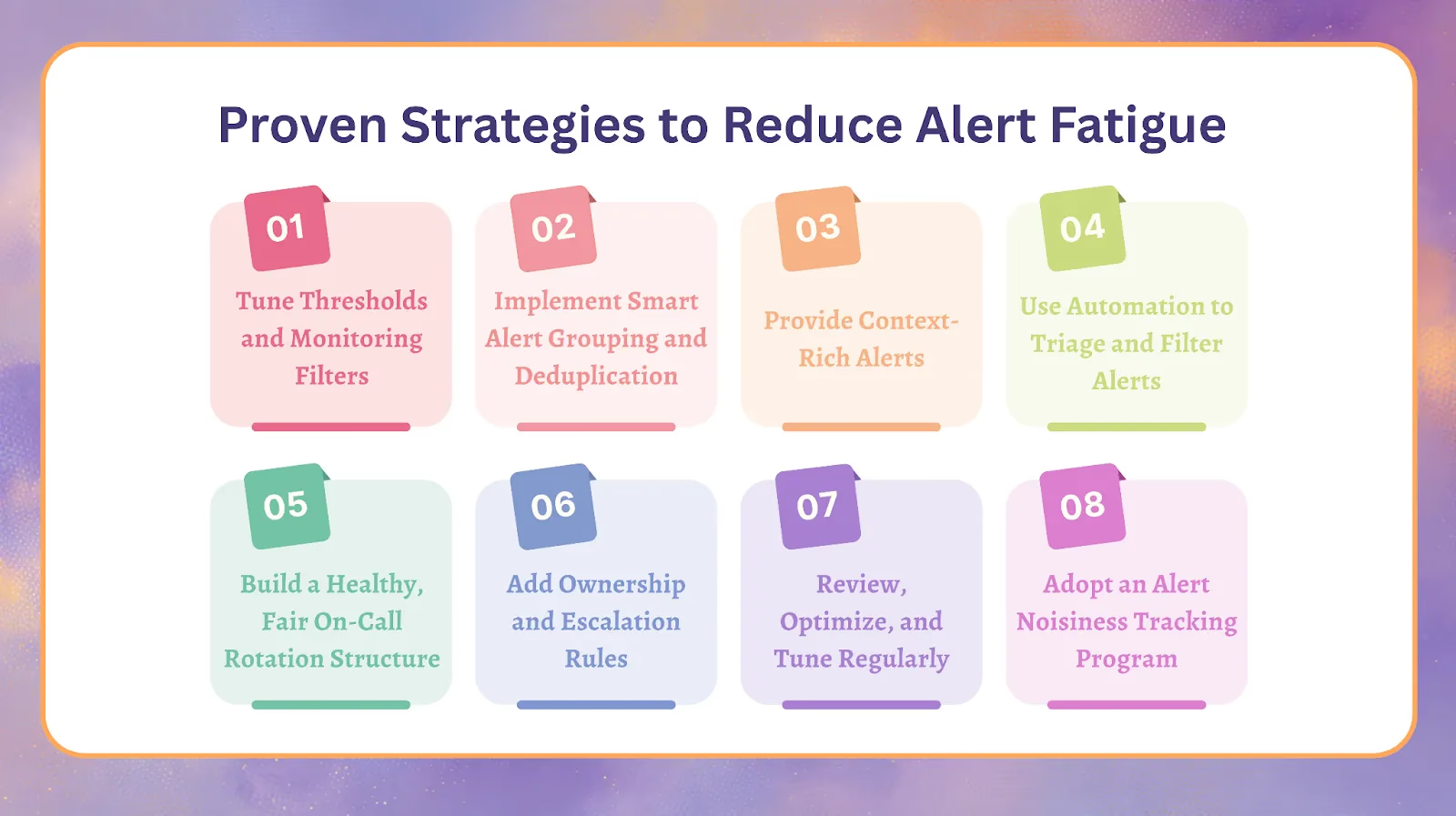
Reducing alert fatigue requires more than adjusting a few thresholds. It involves a combination of technical refinement, process improvements, and ongoing feedback loops that help teams trust their alerts again. The following strategies blend insights from Rootly’s platform with industry best practices to create a sustainable approach to noise reduction.
1. Tune thresholds and monitoring filters
Improved signal quality begins with monitoring rules that reflect real system behavior. Effective tuning includes:
- Raising thresholds so alerts trigger only on meaningful deviations
- Avoiding single-metric alerts and combining multiple indicators for accuracy
- Using adaptive baselines or dynamic thresholds that adjust to traffic patterns
- Revisiting alert rules regularly to ensure they match how services currently operate
Well-tuned thresholds instantly reduce unnecessary noise and prevent alerts from firing during normal fluctuations.
2. Implement smart alert grouping and deduplication
Large volumes of alerts often stem from multiple tools reporting the same issue. Grouping and deduplication help responders focus on the core problem by:
- Grouping similar or related alerts into a single, unified incident
- Suppressing repeated notifications once the issue is already acknowledged
- Using machine learning to identify patterns and cluster alerts intelligently
This approach reduces noise, increases clarity, and minimizes the cognitive load on responders.
3. Provide context-rich alerts
Alerts become more actionable when they supply responders with essential context. High-quality alerts typically include:
- The service or component affected
- Severity level and potential business or customer impact
- Recommended first actions to begin triage
- Links to runbooks, documentation, or similar past incidents
Context helps responders make faster, more accurate decisions and decreases time spent deciphering vague signals.
4. Use automation to triage and filter alerts
Automation reduces manual effort and ensures that human attention is reserved for issues that truly matter. Automation strategies include:
- Auto-resolving known, recurring issues with predefined fixes
- Auto-escalating alerts only if they persist beyond a set duration
- Routing alerts to the most relevant on-call responder rather than notifying everyone
- Automatically enriching alerts with data needed for fast triage
These practices significantly reduce fatigue and improve response consistency.
5. Build a healthy, fair on-call rotation structure
A sustainable on-call rotation prevents fatigue from becoming chronic. Strong practices include:
- Clear handoff points between shifts
- Limiting the number of major incidents an individual handles in a single night
- Providing recovery time or flexible schedules after demanding shifts
- Ensuring primary and secondary rotations are balanced and predictable, so the secondary isn’t paged on most alerts (how to keep secondary shifts from burning people out)
Fair rotations keep responders focused and resilient.
6. Add ownership and escalation rules
Clear ownership prevents delays and confusion during incidents. Effective practices include:
- Defining who owns each service and who should respond to each type of alert
- Creating escalation paths that activate only when the primary responder cannot act
- Reducing multi-response collisions that happen when alerts go to too many people
When everyone knows their responsibilities, alerts become more manageable and less stressful.
7. Review, optimize, and tune regularly
Monitoring systems degrade over time as infrastructure evolves. Regular review is essential and involves:
- Identifying monitors that are outdated or misaligned with current architecture
- Removing or adjusting noisy alerts that no longer provide value
- Ensuring monitoring rules stay accurate as traffic patterns and dependencies shift
Continuous tuning ensures that noise does not slowly creep back into the system.
8. Adopt an alert noisiness tracking program
Programs that allow responders to mark noisy alerts create a feedback loop that systematically improves alert quality. Effective elements include:
- Allowing responders to tag alerts as noise directly in the interface
- Giving admins visibility into which alerts are repeatedly identified as low value
- Refining or rewriting alert rules based on real responder feedback
- Tracking the signal-to-noise ratio over time to measure improvement
This creates an iterative improvement process that reduces fatigue and strengthens trust in alerts.
How smart incident tools protect on-call engineers
Modern incident tools play a critical role in reducing alert fatigue by filtering noise, enriching alerts, and making it easier for responders to focus on the issues that matter. Instead of overwhelming engineers with constant notifications, these platforms organize signals intelligently and create a clearer, more actionable view of incidents.
Intelligent alert grouping and deduplication
Smart platforms help responders regain control of their alert stream by:
- Clustering related alerts that originate from the same issue or service
- Eliminating redundant pages that would otherwise overwhelm responders
- Consolidating noisy signals into a single, organized incident
This dramatically reduces the volume of notifications and makes it easier to understand the full scope of an issue.
AI-powered triage and prioritization
Artificial intelligence strengthens the triage process by analyzing patterns and directing attention where it is needed most. Effective capabilities include:
- Predicting false positives based on historical behavior
- Automatically resolving known patterns without requiring manual intervention
- Suggesting likely root causes to accelerate investigation
- Prioritizing incidents based on severity and business impact
AI-driven triage shortens the time between an alert and the first meaningful action.
Context-enriched incidents
Context is one of the biggest factors in enabling fast, confident responses. Modern platforms enhance every incident with:
- Service maps showing which components are affected
- Details about stakeholders, users, or regions impacted
- Clear explanations of potential business consequences
- Recommended runbooks or reference incidents for faster resolution
With more context upfront, engineers can act decisively without sifting through multiple tools.
Tools that reduce noise over time
The most effective systems do more than filter alerts; they continuously improve the signal-to-noise ratio using feedback from responders. Key features include:
- Noise tagging that lets responders identify low-value alerts
- Admin dashboards that highlight monitors producing excessive noise
- Signal-to-noise metrics that reveal where to optimize
- Shift override and Slack enhancements that streamline on-call workflows
These tools create a learning loop that reduces noise month after month.
How teams reduce alert fatigue in Rootly
Rootly applies these controls before an alert reaches a person. Alert deduplication collapses repeat events from the same monitor into one open alert using a stable identifier from the payload, so a monitor that re-fires every minute does not page every minute. Alert grouping handles different monitors firing on the same problem: the first alert leads the group and pages, and related alerts that arrive within the time window join it without paging again. Alert urgency and dynamic escalation paths decide whether a page is audible or quiet, so low-urgency alerts can stay quiet after hours while high-urgency alerts page around the clock. The On-Call Metrics dashboard shows alert volume, acknowledge rate, and which sources fire most, which tells you what to tune next.
How reducing alert noise improves incident response metrics
Lowering alert noise has a measurable and positive effect on every part of the incident lifecycle. When responders receive only the alerts that matter, they regain trust in their monitoring systems, act more decisively, and resolve issues with greater speed and clarity.
Faster signal recognition
Reducing noise makes each alert more credible, which encourages responders to act immediately rather than wondering whether the notification is another false alarm. Engineers acknowledge alerts faster, detect issues sooner, and avoid delays caused by hesitation or alert fatigue. When every signal carries weight, teams can identify real problems quickly and reliably.
Lower MTTR
High-quality alerts shorten MTTR because responders begin their investigations with clear, actionable information. Stronger context reduces the time spent figuring out what is happening, and fewer distractions from unrelated or duplicate alerts keep engineers focused on the real issue. A streamlined alert stream consistently leads to faster triage and faster resolution.
Stronger team focus and resilience
With fewer interruptions and far less noise, teams can shift their attention away from constant firefighting and toward higher-value reliability work. A quieter alert environment lowers stress, supports healthier on-call rotations, and reduces cognitive load. These improvements strengthen both day-to-day performance and long-term team morale.
Better customer and business outcomes
Reducing alert noise leads to fewer missed signals, fewer escalations, and fewer preventable outages. Shorter disruptions improve system stability and overall customer experience. When incidents are resolved faster and reliability improves, businesses benefit from reduced risk, stronger trust, and a more predictable operational environment.
Step-by-step framework to build a smart alert strategy
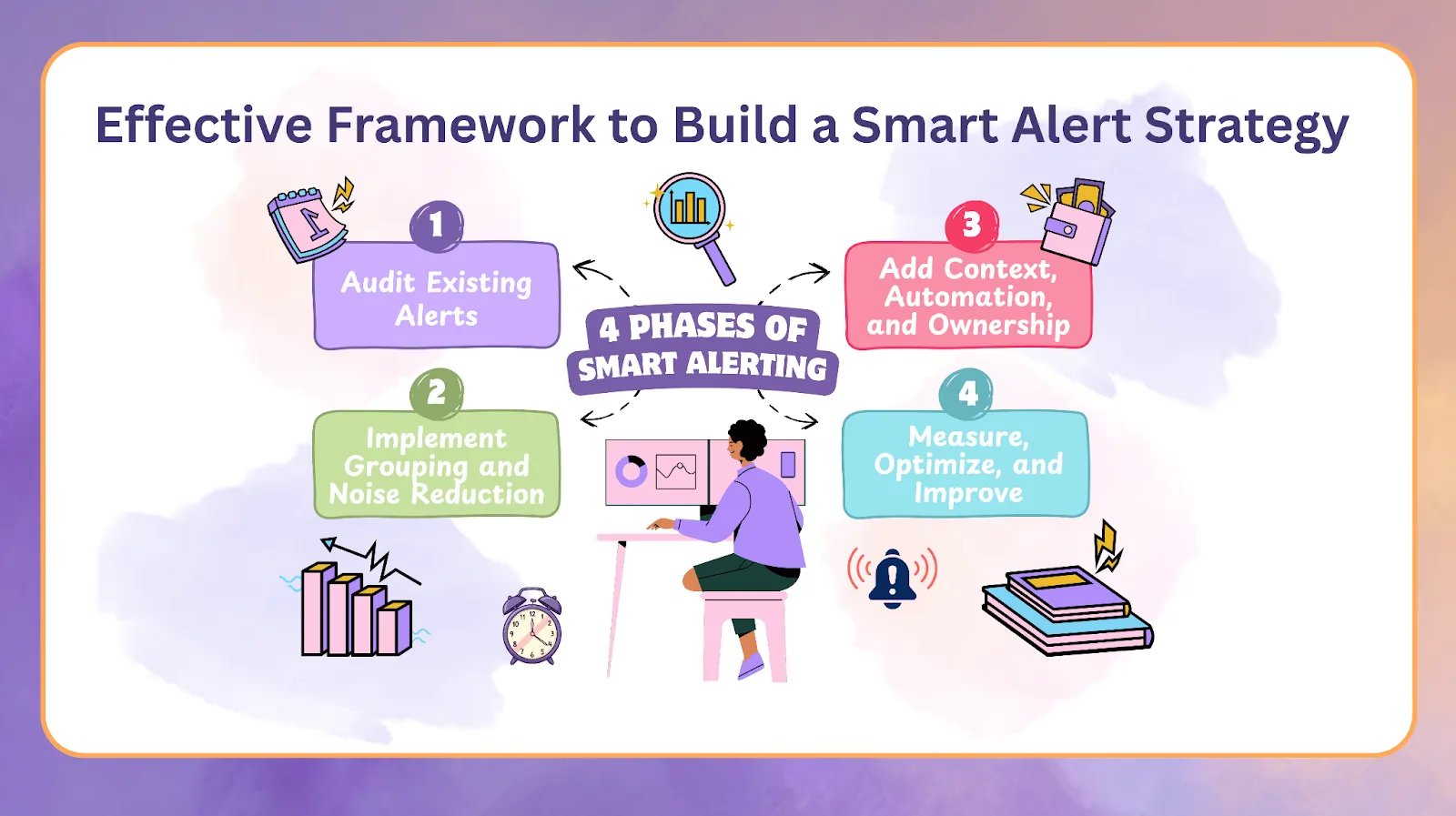
A sustainable alerting strategy involves structured improvement rather than one-time fixes. The following framework helps teams reduce noise and strengthen reliability with predictable, measurable steps.
Phase 1: audit existing alerts
Start by understanding the current alert landscape. This phase includes:
- Mapping every alert source across tools and services
- Identifying monitors that generate excessive noise
- Quantifying the false positive rate for each alert type
- Surveying responders to understand pain points and fatigue levels
A clear baseline makes it easier to target the right improvements.
Phase 2: implement grouping and noise reduction
Once the audit is complete, focus on reducing the volume of alerts. Key actions include:
- Creating deduplication rules to consolidate redundant alerts
- Using machine learning to group related alerts automatically
- Cleaning up routing rules to ensure alerts reach the right responders
This phase often produces an immediate and noticeable drop in noise.
Phase 3: add context, automation, and ownership
Next, make individual alerts more actionable and reduce manual work. This phase involves:
- Establishing clear escalation policies for every service
- Linking alerts to runbooks and past incidents
- Adding business context that helps responders assess impact
- Automating common, recurring fixes so engineers can focus on higher-value work
These improvements turn raw signals into meaningful guidance.
Phase 4: measure, optimize, and improve
Effective alerting is an ongoing process. Sustained improvement requires:
- Tracking MTTR and related performance metrics
- Monitoring false positive volume across tools
- Reviewing signal-to-noise ratios to identify new problem areas
- Conducting quarterly alert tuning sessions to keep monitors aligned with current infrastructure
This cycle ensures alerts stay clean, relevant, and actionable even as systems evolve.
A modern, sustainable way to protect on-call engineers
Building a healthier on-call culture begins with reducing the noise that overwhelms responders and distracts from real issues. When teams thoughtfully refine their alerting systems, they protect one of their most valuable resources: human attention. A quieter, more intentional alert environment restores clarity, sharpens focus, and ensures that every notification has purpose.
By making alerts genuinely meaningful again, engineering teams can shift from constant reaction to confident, informed response. Trust in the alerting system grows as noise declines, and responders regain confidence that every signal deserves their attention. This modern, sustainable approach not only strengthens system reliability but also creates a more balanced and humane on-call experience for the engineers who keep critical services running.
At Rootly we help teams achieve these outcomes by reducing noise, providing richer context for every alert, and streamlining on-call workflows with automation and intelligent grouping. If you would like to explore how Rootly can support your team, you can book a demo anytime.
Alert fatigue: how to reduce noise and protect on-call engineers